


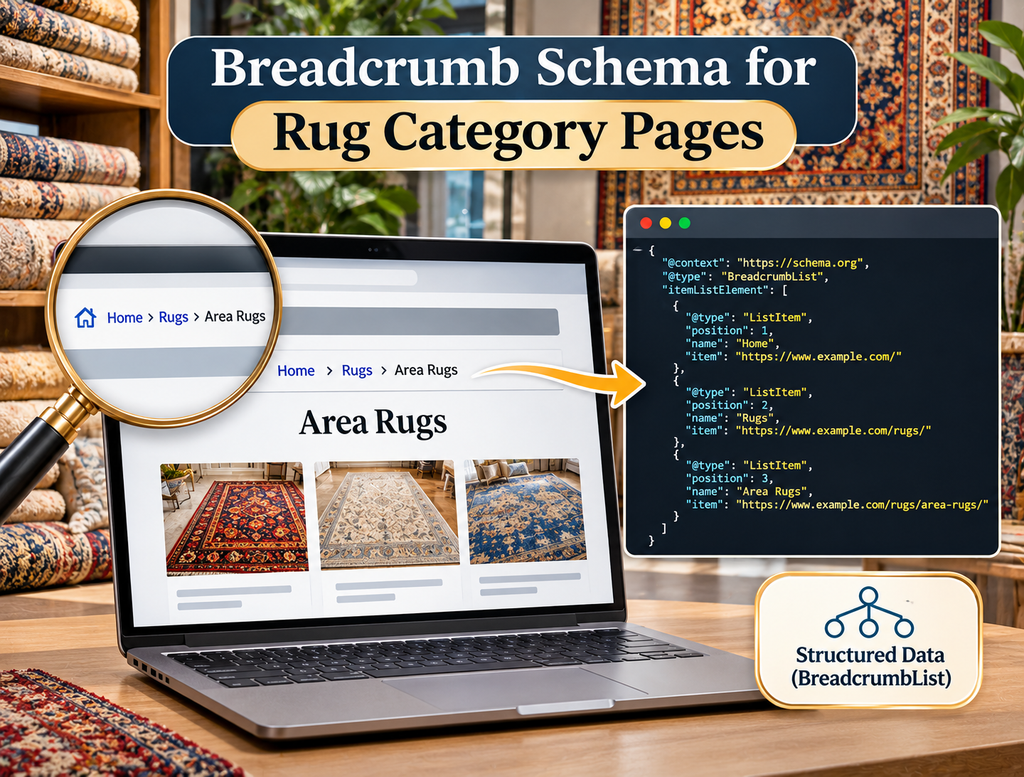
A large rug ecommerce website can contain category pages for handmade rugs, Persian rugs, wool rugs, 8×10 rugs, blue rugs, round rugs, antique rugs, room-based collections, and many other ways of browsing inventory. As the catalog becomes deeper, both shoppers and search engines need a clear way to understand where a category sits within the wider site structure. Breadcrumbs provide that context visually on the page, while BreadcrumbList structured data gives search engines a machine-readable representation of the hierarchy. For a rug store, the purpose is not simply to add another schema type. The breadcrumb should represent a real and useful navigation path that helps a visitor move from a broad section of the website toward a more specific rug category.
Google currently supports breadcrumb structured data for Search and describes a breadcrumb trail as a way to indicate a page’s position within the site hierarchy. Google recommends that breadcrumb markup represent a typical user path rather than blindly reproducing every folder in the URL. Google also currently states that breadcrumb rich-result presentation is available on desktop Search rather than mobile Search. This distinction matters for rug stores because an ecommerce URL can contain technical paths that do not represent how a shopper actually understands the catalog.
What Breadcrumb Schema Does
Breadcrumb schema uses the Schema.org BreadcrumbList type. A BreadcrumbList contains ordered ListItem entries representing levels within the site’s hierarchy. Schema.org describes a breadcrumb list as a chain of linked web pages that typically begins with a broader site or section page and becomes progressively more specific. Each item uses a numerical position so the order of the trail can be reconstructed correctly.
For a rug category page, the visible navigation might look like:
Home > Rugs > Handmade Rugs > Persian Rugs
The structured-data version communicates the same relationship in a standardized form. Google can use that markup to better understand where the category fits within the website and may use breadcrumb information when presenting the page in eligible desktop search results. Structured data does not guarantee that Google will display a breadcrumb rich result, but correctly implemented markup makes the page eligible for the supported feature.
Breadcrumb schema should therefore reinforce a real site architecture rather than attempt to manufacture hierarchy that does not exist.
Start With the Actual Rug Category Hierarchy
Before writing JSON-LD, define how the rug catalog is organized.
Suppose the store has broad sections for Rugs, Handmade Rugs, Persian Rugs, and Heriz Rugs. A logical breadcrumb trail might be:
Home > Rugs > Handmade Rugs > Persian Rugs > Heriz Rugs
That hierarchy tells the shopper that Heriz Rugs are part of the Persian rug section, which belongs within the larger handmade rug catalog.
Another category could follow:
Home > Rugs > Size > 8x10 Rugs
while a room-based page might use:
Home > Rugs > Room > Living Room Rugs
The correct structure depends on how the website actually allows users to browse.
Do not create a breadcrumb such as Home > Rugs > Handmade > Persian > Traditional > Red > Large > 8x10 simply because those attributes exist in the product database. An excessively deep trail may reflect filter combinations rather than meaningful site hierarchy.
A strong rug website should define useful category relationships first, then use breadcrumb schema to represent those relationships accurately.
Breadcrumbs Do Not Need to Match the URL Folder Structure Exactly
One of the most useful parts of Google’s current guidance is that breadcrumb trails should represent a typical user path rather than mechanically copying the URL structure.
Imagine a rug category URL such as:
The customer-facing breadcrumb does not need to be:
Home > Collections > Persian Handmade Rugs
if “Collections” is merely a technical CMS directory and shoppers actually navigate through:
Home > Rugs > Handmade Rugs > Persian Rugs
The second hierarchy may communicate the catalog much better.
This is especially relevant on Shopify, WooCommerce, and other ecommerce systems where URLs can contain platform-specific folders that do not represent the site’s information architecture.
Breadcrumb schema should describe the customer’s conceptual path, not the ecommerce platform’s database structure.
Use BreadcrumbList With Ordered ListItem Entries
Google’s breadcrumb documentation requires itemListElement, with each breadcrumb represented as a ListItem. Each item should have the correct position, a meaningful name, and normally an item URL. Google allows the final breadcrumb to omit the item URL because the containing page URL can be used for the last item. Google also requires at least two ListItem entries for breadcrumb eligibility.
A basic example for a Persian rug category could look like this:
<script type="application/ld+json">
{
  "@context": "https://schema.org",
  "@type": "BreadcrumbList",
  "itemListElement": [
    {
      "@type": "ListItem",
      "position": 1,
      "name": "Rugs",
      "item": "https://example.com/rugs/"
    },
    {
      "@type": "ListItem",
      "position": 2,
      "name": "Handmade Rugs",
      "item": "https://example.com/rugs/handmade/"
    },
    {
      "@type": "ListItem",
      "position": 3,
      "name": "Persian Rugs"
    }
  ]
}
</script>
The order matters. Position 1 represents the beginning of the breadcrumb trail, followed by 2, 3, and so on. Schema.org specifically notes that the written order of items alone is not enough for an ordered ItemList; the position property is what establishes their sequence.
Should Home Be Included?
Google’s current documentation says that it is not required to include a breadcrumb ListItem for the top-level site domain or host name. It is also not required to include the page itself as a breadcrumb item.
This means both of these conceptual approaches can be valid depending on the site’s navigation:
Home > Rugs > Persian Rugs
or:
Rugs > Persian Rugs
The more important issue is consistency between the visible navigation and the structured representation.
If the site’s visible breadcrumb begins with Home because that helps users navigate, keeping it is reasonable. If the design starts directly with Rugs, the schema does not need an artificial Home level simply because someone believes every breadcrumb must begin there.
Avoid adding levels solely to make the markup longer.
Keep Breadcrumb Names Human Readable
The name property should describe the breadcrumb in language customers understand.
Use:
Handmade Rugs
rather than:
handmade-rugs-category-02
Use:
Persian Rugs
rather than:
persian_rug_collection_main
The breadcrumb is part of the semantic representation of the website, so internal taxonomy IDs, CMS handles, and database labels should not replace normal customer-facing names.
This principle aligns with Google’s broader recommendation to keep URL and site structures understandable to users. Google recommends simple, descriptive URL structures rather than unreadable identifiers where practical.
The same philosophy should apply to breadcrumb labels.
Make the Breadcrumb Match the Visible Navigation
Structured data should describe the page users actually receive.
If the visible page says:
Home > Rugs > Antique Rugs
but the JSON-LD says:
Home > Furniture > Decorative Items > Antique Rugs
the signals describe different hierarchies.
Even when the structured data validates technically, that does not mean the implementation is conceptually strong.
For rug categories, keep the visible breadcrumb and schema trail aligned as closely as practical. If a development system generates both from the same taxonomy, maintaining consistency becomes much easier.
A broad technical SEO implementation should avoid maintaining one navigation hierarchy inside the template and a completely separate manually maintained hierarchy inside JSON-LD.
Category Pages Can Have More Than One Possible Parent
Rug ecommerce architecture can become complicated because one collection may logically belong in more than one place.
A page for wool Persian rugs might be reachable through:
Rugs > Persian Rugs > Wool Persian Rugs
and:
Rugs > Material > Wool Rugs > Persian Wool Rugs
Google supports multiple breadcrumb trails when more than one legitimate navigation path leads to the same page. Its documentation includes examples using multiple BreadcrumbList objects for one URL.
However, support for multiple trails does not mean every possible combination should be marked up.
A rug page with ten different filters should not automatically receive ten breadcrumb trails.
Use multiple trails only when they represent genuine and useful navigation structures that users actually encounter.
Be Careful With Faceted Navigation
Rug stores often allow shoppers to filter by color, size, material, style, construction, shape, price, and origin. Those combinations can generate enormous numbers of URLs.
A shopper could theoretically reach:
Rugs > Persian Rugs > Blue > Wool > 8x10
but that does not automatically mean every filtered state should become an indexable category with its own breadcrumb schema.
The first decision is whether the filtered page deserves to exist as a search landing page at all.
If a page such as 8×10 Persian Rugs has meaningful search demand, unique content, stable inventory, a canonical URL, and strong internal navigation, it may deserve a genuine category page and breadcrumb trail.
If the page exists only because a visitor clicked five temporary filters, adding BreadcrumbList markup does not transform it into a valuable SEO landing page.
The site’s filter SEO strategy should determine which combinations become permanent categories before breadcrumb schema is considered.
Do Not Put Product Attributes Into Breadcrumbs Automatically
A rug can have dozens of attributes, including color, size, construction, origin, age, material, pattern, and shape.
Those attributes do not all belong in the breadcrumb trail.
For example, a category page titled “8×10 Persian Rugs” might logically live under:
Rugs > Persian Rugs > 8x10 Persian Rugs
It does not need:
Rugs > Handmade > Wool > Persian > Traditional > Rectangle > 8x10 > Red > 8x10 Persian Rugs
Breadcrumbs are navigation, not a structured list of every attribute associated with the page.
Attributes can be represented through product data, filters, page copy, headings, or other appropriate structured data where supported.
Keeping breadcrumbs concise also makes the hierarchy easier for users to understand.
Category Breadcrumbs and Product Breadcrumbs Should Connect
A healthy ecommerce architecture creates continuity between collection and product pages.
If the user is browsing:
Rugs > Persian Rugs
and opens a particular Heriz rug, the product breadcrumb might become:
Rugs > Persian Rugs > Antique Heriz Rug
This creates a natural route back to the commercial category.
For one-of-a-kind products, the connection can be especially useful because individual rugs may sell while the parent category continues receiving search traffic and supporting discovery.
A strong product schema implementation can coexist with BreadcrumbList markup. Product structured data describes the rug itself, while breadcrumb structured data describes where that product or category sits in the site’s hierarchy.
They solve different problems and should not be treated as substitutes for one another.
Use Canonical URLs Inside Breadcrumb Items
When a breadcrumb points to a parent category, use the preferred stable URL for that category rather than a tracking parameter, redirected URL, filtered duplicate, or temporary session URL.
For example, use:
rather than:
Breadcrumb schema should reinforce the site’s primary URL structure.
If parent URLs redirect or canonicalize somewhere else, the breadcrumb implementation becomes unnecessarily confusing and may also send users through extra redirects when they click the visible navigation.
Audit parent breadcrumb URLs alongside canonicals, XML sitemaps, and internal links.
Avoid Breadcrumb Links to Search Results
Some ecommerce systems automatically create breadcrumb links from onsite search queries.
A user who searches “blue Persian rug” could end up on a page showing:
Home > Search > Blue Persian Rug
That may make sense temporarily for the user interface, but an internal search-result URL is usually not the same thing as a curated category hierarchy.
Do not automatically turn every onsite search state into BreadcrumbList structured data.
Instead, determine whether the search represents a permanent category. If “Blue Persian Rugs” deserves a dedicated landing page, create a stable category URL and use that page in the breadcrumb architecture.
A well-organized rug search system can help shoppers discover inventory without forcing every query into the site’s indexable taxonomy.
Keep Breadcrumbs Stable When Inventory Changes
Rug category inventory changes continuously. New rugs arrive, unique products sell, and products move between availability states.
Those inventory changes should not cause the category hierarchy itself to change unpredictably.
A Persian Rugs page should remain:
Rugs > Persian Rugs
whether it currently contains 200 products or 175.
Stable hierarchy helps users, search engines, internal linking, and template maintenance.
The breadcrumb should describe the category’s location, not the current state of inventory inside it.
Breadcrumb Schema Does Not Replace Internal Links
Breadcrumb links themselves can form useful internal navigation, but adding JSON-LD does not replace a strong internal-link structure.
Google needs crawlable site navigation and contextual links to discover and understand important pages. Structured data adds semantic information about those relationships, but it should not be used as a workaround for categories that are otherwise isolated from the website.
The site’s internal linking strategy should ensure that important rug categories can be reached through navigation, relevant product pages, related categories, and useful editorial content where appropriate.
Think of breadcrumb schema as a clear description of an existing architecture, not as the architecture itself.
Avoid Generating Breadcrumb Schema for Non-Canonical Filter URLs
If the site creates a parameter URL such as:
/rugs/?color=blue&size=8x10&sort=price
and its canonical points to /rugs/, generating a unique breadcrumb trail suggesting the parameter URL is an independent category can create conflicting signals.
Before deploying schema across filtered templates, determine whether the URL is canonical and intended for indexing.
Indexable curated landing pages can use their own breadcrumb paths.
Non-canonical, temporary, and sorting URLs usually should not be treated as standalone hierarchical destinations merely because the template technically supports schema.
Template-level controls are important because large rug catalogs can generate thousands of these states automatically.
Use JSON-LD Consistently
Google supports JSON-LD, Microdata, and RDFa for breadcrumb structured data. JSON-LD is often practical for modern ecommerce implementations because it can be generated programmatically without wrapping every visible breadcrumb element in schema attributes. Google’s breadcrumb documentation provides examples for all three formats.
The important issue is not choosing the format that sounds most technical. It is choosing a format the development team can maintain accurately across category templates.
If WordPress, Shopify, or another ecommerce system already generates valid BreadcrumbList markup, adding a second plugin that outputs another version may create duplicate or inconsistent schema.
Audit what already exists before adding anything new.
Watch for Duplicate Breadcrumb Schema
SEO plugins, themes, ecommerce plugins, custom development, and tag-management systems can all generate structured data.
A rug site may therefore accidentally output one BreadcrumbList from the SEO plugin and another from the theme.
Duplicate markup is not automatically invalid when both represent legitimate trails, but contradictory markup can create unnecessary ambiguity.
For example, one script might say:
Home > Rugs > Persian Rugs
while another says:
Home > Collections > Persian Rugs
If both appear because two plugins are competing rather than because the site genuinely supports multiple trails, the implementation should be cleaned up.
Use the page source and Rich Results Test to identify every BreadcrumbList generated on the page.
Do Not Mark Up a Fake Hierarchy Just for Keywords
Breadcrumb labels should describe navigation, not provide another place to insert target keywords.
A page does not need:
Home > Best Luxury Rugs Online > Buy Persian Rugs Online > Affordable Persian Rugs
when the site’s real sections are simply:
Home > Rugs > Persian Rugs
Keyword stuffing inside breadcrumb schema does not improve the underlying architecture and can make both the visible interface and structured data unnatural.
Use concise category names that accurately represent the page.
SEO value should come from good taxonomy, useful content, relevant internal relationships, and strong product inventory rather than artificially expanding breadcrumb text.
Test Breadcrumb Schema Before Sitewide Deployment
Google recommends validating structured data with the Rich Results Test, deploying it on a limited number of pages, and using URL Inspection to confirm how Google sees the page before expanding the implementation.
For a rug ecommerce site, test several template variations rather than one category.
Check a broad category, a subcategory, a deeper category, a category with filters, and a product page.
Confirm that positions remain sequential, names are correct, parent URLs resolve properly, and the final page represents the intended hierarchy.
A template error replicated across 5,000 pages is much harder to clean up than an issue found during the first five tests.
Check the Rich Results Test
Google’s Rich Results Test can detect whether BreadcrumbList markup is valid for Google’s supported feature.
A successful test does not guarantee that Google will display the breadcrumb in search results. Google explicitly states that correctly implemented structured data makes a page eligible for features but does not guarantee that a rich result will appear.
The test should therefore answer:
Does Google understand the markup?
It should not be interpreted as:
Will this exact breadcrumb definitely appear for every query?
Search presentation remains under Google’s control.
Monitor Search Console After Template Changes
Structured data can break when a theme, ecommerce template, SEO plugin, or URL architecture changes.
Google recommends monitoring structured-data reports after initial deployment and after significant template updates. A rise in invalid items may indicate that a new template is generating incomplete markup, while a sudden reduction in valid items can indicate that structured data is no longer being output.
For a rug store, this is particularly important after collection redesigns, faceted-navigation changes, URL migrations, or category restructuring.
Breadcrumb schema should be included in technical QA rather than installed once and forgotten.
Remember That Breadcrumb Rich Results Are Currently Desktop Only
As of Google’s current documentation, breadcrumb structured-data search presentation is available on desktop in regions and languages where Google Search is available, but not as the corresponding breadcrumb feature on mobile Search.
This does not make breadcrumb navigation unimportant on mobile.
Visible breadcrumbs can still help mobile visitors understand where they are and navigate toward broader categories. The structured data also remains a semantic representation of the page hierarchy.
The distinction simply means businesses should not promise clients that BreadcrumbList markup will produce the same breadcrumb search appearance across both desktop and mobile.
Breadcrumb Schema Should Follow Category Architecture Changes
Suppose the store originally has:
Home > Rugs > Traditional Rugs > Persian Rugs
but later reorganizes the site to:
Home > Rugs > Handmade Rugs > Persian Rugs
The breadcrumb markup should change with the actual information architecture.
Do not leave historical schema paths pointing toward removed or redirected categories.
When restructuring the catalog, audit visible breadcrumbs, schema, internal navigation, canonical URLs, redirects, and sitemap entries together.
A breadcrumb is one expression of the site hierarchy, so it should evolve when that hierarchy legitimately changes.
Final Thoughts
Breadcrumb schema for rug category pages works best when it accurately represents a simple, meaningful ecommerce hierarchy. The markup itself is straightforward, but the difficult part is deciding what the hierarchy should be.
Begin with the way shoppers actually browse the rug catalog. A trail such as Rugs > Handmade Rugs > Persian Rugs can communicate a clear progression, while a trail built from every available filter, attribute, or technical URL folder usually creates more complexity than value.
Use Schema.org BreadcrumbList with correctly ordered ListItem entries, meaningful names, and stable parent URLs. Google requires at least two breadcrumb items for eligibility, supports multiple legitimate trails where appropriate, and recommends representing a typical user path rather than mechanically copying the URL structure.
Keep the markup aligned with visible navigation, canonical URLs, indexable category pages, and the site’s internal-link architecture. Do not use breadcrumb schema to turn low-value filters or internal search results into artificial categories, and do not duplicate markup unnecessarily through several plugins.
When the category architecture is already strong, breadcrumb schema becomes a clean machine-readable representation of that structure rather than another technical SEO layer that has to compensate for poor navigation.
FAQs
What schema type should a rug category page use for breadcrumbs?
Use BreadcrumbList with ordered ListItem entries representing the meaningful navigation hierarchy. Schema.org defines BreadcrumbList specifically for chains of linked pages in a site hierarchy.
Does the breadcrumb need to match the URL structure exactly?
No. Google recommends representing a typical user path to the page rather than simply mirroring the URL folders.
Should filtered rug category pages have breadcrumb schema?
Only when the filtered URL represents a genuine, stable page within the site’s intended category architecture. Temporary or non-canonical filter combinations should not automatically be treated as independent breadcrumb destinations.
Is the current category page required as the final breadcrumb item?
No. Google says it is not required to include the page itself, although it can be included. When the final ListItem is present, its item URL can also be omitted because Google can use the containing page URL.
Will adding BreadcrumbList schema guarantee breadcrumbs in Google?
No. Correct structured data makes the page eligible for Google’s supported breadcrumb presentation, but Google does not guarantee that a rich result will appear. The current breadcrumb feature is documented for desktop Search.