


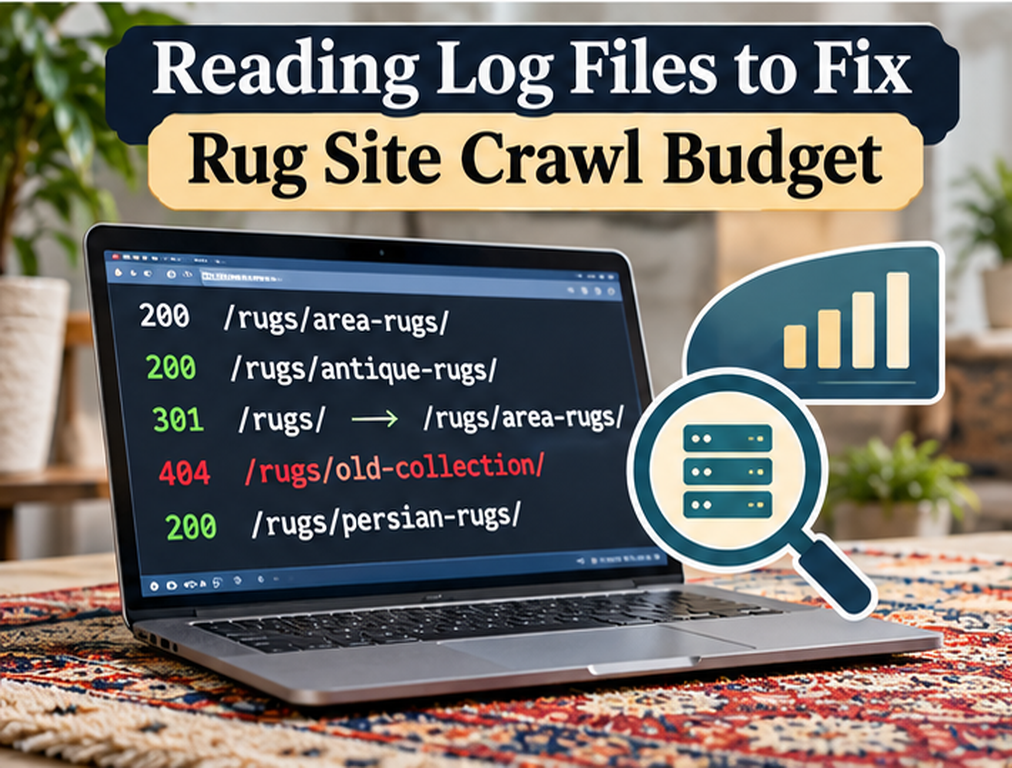
Server log files can answer a question that many SEO tools cannot answer directly: what did Googlebot actually request from the website? A crawler such as Screaming Frog can show which URLs are discoverable from the site’s current structure, while Search Console provides crawl and indexing reports at broader levels, but web server logs record the individual requests reaching the server. For a rug marketplace or retailer with tens of thousands of rapidly changing product, collection, filter, sold, and parameter URLs, that evidence can reveal whether Googlebot is spending substantial activity on important inventory or repeatedly requesting URLs the business does not care about.
Crawl budget should not be treated as a universal SEO problem. Google’s current guidance says advanced crawl-budget management is primarily relevant to very large sites, medium or larger sites with rapidly changing content, or sites where a large share of URLs are classified as Discovered – currently not indexed. Google gives rough examples including sites with around one million or more moderately changing pages, sites with around 10,000 or more pages that change daily, and sites with substantial discovery problems. A typical small rug showroom with a few hundred products is unlikely to need an elaborate log-analysis project simply because some pages are not indexed. For a genuinely large or frequently changing catalog, however, log files can expose crawl inefficiencies that ordinary front-end audits miss.
Understand What a Server Log Contains
A web server normally records information about requests it receives, which can include the requested URL, timestamp, status code, response size, user agent, and sometimes additional request information depending on server configuration.
When Googlebot requests a rug product, collection, image, filter URL, sitemap, or other resource, that request can therefore appear inside the log.
By filtering the data for verified Googlebot traffic, the SEO team can analyze which areas receive crawler attention and how often.
This is fundamentally different from assuming that a page was crawled simply because it appears inside an XML sitemap.
Search Console’s crawling documentation specifically notes that its interface does not provide a complete crawl history filterable by every path, while server logs can be examined to determine whether specific URLs were requested by Googlebot.
Verify That the Requests Are Really Googlebot
A user-agent string containing “Googlebot” is not proof that the request came from Google because user agents can be spoofed.
Google publishes guidance and IP information for verifying crawler requests, and its crawler documentation explicitly warns that Googlebot user-agent strings can be impersonated.
For serious log analysis, verify crawler identity rather than treating every request containing Googlebot as legitimate Google traffic.
This becomes particularly important when log data contains unusually high volumes, suspicious crawling patterns, or requests to areas Google would not normally need.
Incorrect bot classification can lead the SEO team to optimize the site around fake traffic.
Start With Crawl Activity by URL Type
A large raw log file becomes useful only after requests are grouped into meaningful categories.
For a rug ecommerce website, useful URL groups may include active products, sold products, collections, blog content, filter combinations, internal search results, pagination, cart and checkout URLs, parameter variations, media resources, redirects, 404 pages, and API requests.
The objective is to understand where Googlebot spends its activity.
If active product pages receive a reasonable share of crawling, the catalog may be healthy.
If a large percentage of requests go toward endless filter combinations while recently published rugs remain untouched, the URL architecture deserves investigation.
An existing rug filter SEO strategy becomes especially important here because faceted navigation can generate far more URLs than the business has actual products.
Measure How Often Active Products Are Crawled
For active inventory, calculate whether important products are being revisited and how long new items wait before their first Googlebot request.
A one-of-a-kind rug store may publish new inventory every day. If server logs show that fresh product pages are not requested for weeks while old parameter URLs are crawled repeatedly, discovery or crawl efficiency may be poor.
The solution is not necessarily asking Google to crawl more.
First determine whether new product URLs are being exposed through current sitemaps, collection pages, normal internal links, and stable crawlable paths.
Google recommends keeping sitemaps updated and using standard crawlable links when important content is not being discovered or recrawled efficiently.
For unique inventory, discovery speed can matter commercially because a product may sell before search engines ever process it if the architecture handles new inventory poorly.
Look for Faceted Navigation Waste
Faceted ecommerce navigation can create massive numbers of URL combinations.
A single collection might generate URLs for:
?color=blue
?size=8x10
?material=wool
?color=blue&size=8x10
?color=blue&size=8x10&sort=price
Multiply that across many colors, sizes, materials, origins, shapes, styles, and sorting options, and Googlebot can discover a crawl space far larger than the actual inventory.
Google’s current crawl-budget guidance specifically identifies duplicate or unwanted URL inventory as one of the main factors site owners can control, and faceted or unnecessary URLs are a common source of crawl inefficiency.
Server logs show whether this is a theoretical concern or an actual crawling pattern.
Find Repeated Crawling of Redirects
Redirects are normal after migrations, product consolidation, or URL changes, but old redirected URLs should not remain heavily promoted indefinitely.
Log data can reveal whether Googlebot repeatedly requests legacy rug URLs that redirect every time.
Then investigate where those URLs are still coming from.
Possible sources include outdated internal links, sitemap entries, canonical references, old pagination, external backlinks, or historical crawler queues.
Google recommends avoiding long redirect chains because they negatively affect crawling efficiency.
The current URL migration architecture should therefore point internal signals directly toward final destinations wherever practical.
Analyze 404 and 410 Requests
One-of-a-kind rug catalogs naturally generate removed inventory, but logs can show whether Googlebot is spending substantial activity revisiting URLs that no longer exist.
Google’s crawl-budget documentation states that permanently removed URLs should return proper 404 or 410 responses rather than soft errors, and that these status codes provide a strong signal that the resource no longer exists.
A limited number of 404 requests is normal and is not automatically a crawl-budget crisis.
The concern is a continuing pattern generated by internal links, sitemap errors, broken navigation, or enormous historical inventories that the site still exposes unnecessarily.
Find where those requests originate before creating redirects blindly. A discontinued rug does not need to redirect to the homepage simply to eliminate a 404.
Look for Soft 404s
Soft 404 pages return a successful status such as 200 while effectively telling users that the product or content does not exist.
For example, a removed rug URL may load a generic “Product unavailable” template with no meaningful product information while still returning HTTP 200.
Google’s crawl guidance recommends eliminating soft 404s because they can continue consuming crawl activity.
Logs can reveal repeated requests to these patterns, while Search Console helps identify pages classified as soft 404.
Fix the underlying status and product-lifecycle behavior rather than simply blocking the URLs.
Find URLs Googlebot Crawls That Are Missing From Your Sitemap
This comparison is extremely useful.
Export the canonical URLs from your current XML sitemaps and compare them with URLs requested by verified Googlebot.
URLs found in logs but not in the sitemap are not automatically bad. Google can discover pages from normal links and external sources.
The important question is what those URLs represent.
If they are legitimate pages, the sitemap may be incomplete.
If they are endless sorting parameters, session identifiers, internal search pages, and obsolete filters, the architecture may be exposing unnecessary crawl paths.
Google’s guidance recommends keeping sitemaps current with content you actually want crawled.
Compare Crawled URLs With Indexable URLs
Crawling and indexing are not the same thing.
Google’s crawl-budget documentation explicitly notes that not every crawled page will be indexed because pages still need to be evaluated and consolidated after crawling.
A log file can therefore prove that Google requested an important product, but it cannot prove that the page was selected for the index.
Combine log analysis with Search Console Page Indexing and URL Inspection data.
If Googlebot crawls a product frequently but it remains excluded, the issue is probably not lack of crawl budget. Investigate canonicalization, content value, duplication, indexing directives, and product quality instead.
The site’s existing orphan page and indexing audits can help separate discovery problems from selection problems.
Analyze Response Time for Googlebot
Google adjusts crawling partly according to how well the server handles requests.
Its current documentation explains that crawl capacity can increase when server response times remain healthy and may decrease when latency rises or the server responds with 5xx errors or rate-limiting signals such as 429.
Logs can help identify whether certain templates are consistently slower than others.
Perhaps normal blog pages respond quickly while complex product-filter URLs take several seconds because they generate expensive database queries.
Improving those templates helps users and can also improve crawler efficiency by reducing the server resources required for each request.
Investigate 5xx Errors
Repeated 500, 502, 503, or other server-side failures are more concerning than ordinary 404s because they indicate that Googlebot attempted to access a resource but the server could not deliver it successfully.
Google states that significant server errors and timeouts can lead to reduced crawling because its systems try not to overload unhealthy hosts.
Group 5xx responses by path and timestamp.
If failures cluster during product-feed imports, nightly inventory synchronization, backups, or traffic spikes, the problem may involve infrastructure capacity rather than SEO configuration.
Fix server stability before trying to force higher crawl activity.
Examine Crawl Frequency by Template
Different URL types deserve different crawl frequencies.
A homepage, major collection, or frequently updated new-arrivals page may be revisited often, while an evergreen article or sold historical rug may need much less frequent crawling.
Log files can reveal whether the actual distribution broadly matches business importance.
Do not attempt to dictate exact crawl frequencies to Google. Instead, improve the signals the site controls, including internal linking, sitemap freshness, response health, canonicalization, and unnecessary URL reduction.
The purpose of log analysis is diagnosing inefficient patterns, not micromanaging every Googlebot visit.
Check Googlebot Smartphone Activity
Google Search uses mobile-first indexing, and Google’s current crawler documentation lists Googlebot Smartphone among the standard Googlebot user agents.
Logs can reveal which crawler variants request the site and whether certain resources fail specifically for mobile Googlebot.
If the mobile template uses different assets, navigation, or APIs, compare response patterns with desktop requests.
A catalog that looks healthy in desktop crawling but returns errors or incomplete resources to the mobile version can create broader search problems.
Use Search Console Crawl Stats Alongside Logs
Search Console’s Crawl Stats report provides broader information about Googlebot activity, host availability, response codes, file types, and crawl purpose.
Google recommends using Crawl Stats when diagnosing availability issues and crawl behavior.
Server logs add URL-level detail.
The two data sources should complement each other.
If Crawl Stats shows a spike in 5xx responses, logs can identify which URLs and timestamps were involved.
If logs show extreme filter crawling, Search Console can help determine whether overall crawl demand or host health also changed.
Do Not Use Noindex as a Crawl-Budget Shortcut
Google’s current crawl-budget guidance specifically warns that noindex is not an efficient way to prevent crawling because Google must still request the page to see the directive.
If a large set of URLs truly should never be crawled, appropriate robots.txt controls may be more relevant.
If the pages need to be crawled but not indexed, noindex may still be the correct indexing instruction.
The choice depends on the purpose of the URL.
Do not apply technical directives based only on a desire to reduce a number in a log report.
Use Robots.txt Deliberately
Log analysis may reveal thousands of crawler requests to sorting parameters or internal utility URLs that provide no search value.
Google recommends robots.txt for areas that should genuinely not be crawled and identifies shopping-cart pages, certain infinite spaces, and unnecessary duplicate URL patterns as potential areas for crawl control.
However, do not react by blocking broad catalog paths without testing the effect.
A rule designed to stop one filter can accidentally prevent discovery of useful collection pages.
The site’s robots strategy should reflect deliberate URL inventory management rather than one-off emergency blocks.
Keep lastmod Accurate
Google recommends maintaining current sitemaps and can use meaningful <lastmod> values to understand when known URLs have changed.
Do not update every product’s lastmod value every day when nothing changed simply to encourage crawling.
That weakens the value of the signal.
When availability, content, price, or other material information changes, accurate modification dates can help the sitemap represent the catalog more honestly.
Log files can then be used to see how Googlebot’s recrawl behavior relates to actual updates.
Do Not Expect Crawl Optimization to Improve Rankings Directly
Crawling is necessary before Google can evaluate content, but Google’s crawler documentation is clear that a higher crawl rate is not itself a ranking factor.
A rug business should therefore not celebrate simply because Googlebot requests more pages every day.
The objective is efficient access to important content.
If the site reduces one million low-value filter requests and Google continues crawling the pages that matter at an appropriate rate, that can be a stronger technical outcome even if total crawl volume falls.
Final Thoughts
Log-file analysis is most useful for large or rapidly changing rug catalogs where the SEO team needs direct evidence of how Googlebot is using the site’s crawl capacity. It should not be turned into a mandatory project for every small rug store simply because crawl budget sounds technically important.
For sites that genuinely need it, begin by verifying Googlebot requests and categorizing crawled URLs by type. Compare active products with filters, parameters, redirects, errors, sold products, media, and utility pages. Measure new-product discovery, response times, 5xx errors, soft 404s, and repeated requests to URLs the business does not want search engines spending time on.
Google defines crawl budget through crawl capacity and crawl demand, with factors including server health, perceived URL inventory, popularity, and freshness. Log analysis gives a rug retailer the evidence needed to see how those concepts play out on its own catalog.
The best outcome is not maximum crawling. It is making it easy for Googlebot to spend its requests on active, useful, canonical content while reducing unnecessary work generated by duplicate and low-value URL spaces.
FAQs
Does every rug website need crawl-budget optimization?
No. Google says advanced crawl-budget management is primarily relevant to very large, rapidly changing, or discovery-constrained sites.
What can server logs tell an SEO team?
They can show which URLs Googlebot actually requested, when requests occurred, which status codes were returned, and how crawler activity is distributed across the site.
Can log files tell me whether a rug page is indexed?
No. They show crawling, not indexing. Use Search Console and URL Inspection to determine indexing status.
Do 5xx errors affect Google crawling?
Yes. Google says server errors, increased latency, and rate-limiting signals can reduce crawl capacity because its systems try not to overload the host.
Does increasing crawl rate improve rankings?
Not directly. Google states that crawling is necessary for content to enter Search, but a higher crawl rate itself is not a ranking signal.