


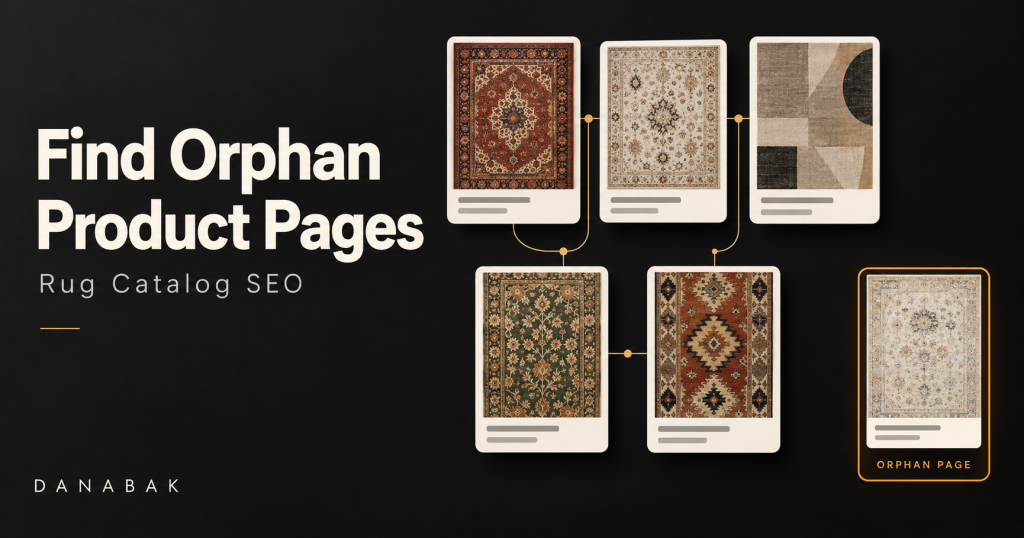
A large rug catalog can contain thousands of product URLs, yet some of those products may be almost invisible inside the website itself. The pages exist, the URLs return normally, the rugs may even appear in the XML sitemap or Google Search Console, but there is no crawlable internal link from a collection, category, navigation element, related-product section, or other page that leads to them. These are commonly called orphan pages, and in ecommerce they can quietly become a significant problem because the business may continue adding inventory without realizing that search engines and customers have very weak paths to certain products.
For a rug store, orphan product pages are especially easy to create because inventory changes constantly. New rugs are imported, sold products are removed from active collections, categories are reorganized, size and color filters change, website platforms are migrated, and one-of-a-kind products can move through the catalog much faster than the site’s internal-linking structure is updated. A product can remain technically live while losing every meaningful link that previously connected it with the rest of the website.
Google recommends that ecommerce pages be reachable through crawlable site navigation, ideally moving from categories to subcategories and ultimately to product pages. Google also explains that when category pages do not link to all products, Googlebot may not discover every item simply by crawling the site’s normal navigation. Sitemaps and Merchant Center feeds can provide additional discovery paths, but they do not replace a logical internal structure.
That makes orphan-product auditing more than a crawler exercise. The real objective is to compare every URL the business knows exists with every URL that can actually be reached through the website’s internal links.
What Is an Orphan Product Page?
An orphan product page is a product URL that has no incoming internal links from other crawlable pages on the same website.
The product may still be accessible if someone knows the URL. It may appear in an XML sitemap, receive traffic from Google, have an external backlink, or exist in the ecommerce database. None of those things automatically mean it is connected to the site’s navigational structure.
Ahrefs defines an orphan page in essentially the same way: a URL that has no incoming internal links. Its audit documentation also notes that these URLs are commonly discovered through a sitemap or another URL source because a normal crawler following internal links would not otherwise find them.
Imagine a rug store publishes:
/products/antique-persian-heriz-1847/
The product originally appears under Antique Rugs, Persian Rugs, Red Rugs and 9×12 Rugs. Several months later, the store reorganizes its collection system. The old collections are removed, the product remains live, and no new collection includes it. The product URL is still in the sitemap, so Google may know it exists, but there is no normal browsing path from the website to that rug.
That product has become orphaned.
Why Orphan Pages Matter More in Large Rug Catalogs
A small ecommerce website with fifty products can usually spot missing product links manually. A store with 5,000, 20,000 or 100,000 rug URLs cannot rely on visual inspection. Product relationships are often controlled by inventory systems, collection rules, tags, filters or automated merchandising logic, so one small template or database problem can disconnect hundreds of products simultaneously.
The issue becomes more serious with one-of-a-kind inventory. An ordinary retailer may sell the same SKU for several years, but an antique or handmade rug dealer may continuously publish unique pieces. If a rug is accidentally omitted from every collection, there may be no second chance for internal navigation to correct the problem unless somebody notices it.
Internal links matter because Google uses links both to discover URLs and to understand relationships between pages. Google’s documentation states that pages a site cares about should be linked from other relevant pages, and its ecommerce guidance specifically recommends crawlable links from categories and subcategories to products.
A strong internal linking system therefore does more than distribute authority. It defines the commercial architecture of the catalog.
A Sitemap Does Not Mean the Product Is Properly Connected
One of the biggest mistakes during orphan-page audits is assuming that a product cannot be orphaned because it appears in the XML sitemap.
The sitemap and internal navigation perform different jobs.
A sitemap tells search engines that a URL exists and may be worth crawling. Internal links show how that URL belongs to the website and give both users and crawlers a path to reach it from other content.
Google explicitly recommends sitemaps as an additional discovery method when normal category navigation cannot link to every product, but it still recommends a crawlable ecommerce structure in which products are reachable through links.
This means the following product can still be an orphan:
XML sitemap: Yes
Google Search Console: Discovered
Analytics traffic: Some
Internal links: Zero
In fact, the sitemap is often how an SEO tool discovers the orphan in the first place.
Why a Normal Website Crawl Cannot Find Every Orphan
This creates an interesting technical problem.
A crawler normally starts at the homepage and follows links.
If a product has no internal links, a standard crawl cannot discover it.
That means you cannot find every orphan merely by crawling the website and looking at the URLs the crawler discovered. By definition, some orphan pages sit outside that connected network.
A proper orphan-page audit therefore needs multiple URL sources.
The process is essentially:
Collect every URL that should exist → Crawl the connected website → Compare the two sets.
URLs that exist in your broader inventory but do not appear in the crawl become orphan candidates.
Ahrefs similarly recommends combining crawl data with sitemap URLs, analytics, Search Console and backlink data because no single source can reveal every orphan page.
For very large catalogs, server logs can provide another source because they may reveal URLs requested by users or crawlers that are no longer reachable internally.
Start With a Full Crawl of the Website
The first dataset you need is the set of URLs reachable through normal internal links.
Use a technical crawler and begin from the homepage. Allow it to follow the site’s normal crawlable links through categories, subcategories, pagination and product pages.
The result becomes your internally discoverable URL set.
During the crawl, pay attention to the link implementation itself. Google states that its crawlers generally identify links most reliably when they are normal <a> elements containing an href attribute. Navigation based entirely on JavaScript events or non-standard elements may not provide the same dependable crawling path.
This matters for rug sites using interactive product grids.
A human visitor may click a tile perfectly well while the HTML contains something like:
<div onclick="openProduct()">
instead of:
<a href="/products/rug-name/">
The product can appear visually connected while remaining much harder for a crawler to discover through the page.
A technical SEO audit should therefore evaluate not only whether products appear in the interface, but whether the actual links are crawlable.
Export Every Product URL From the XML Sitemap
Next, export all product URLs from the website’s XML sitemap or sitemap index.
Now compare those URLs with the product URLs discovered in the crawl.
Suppose the sitemap contains 12,500 product URLs.
Your crawler discovered only 11,200.
That leaves 1,300 URLs requiring investigation.
They are not automatically all genuine orphans. Some may be URLs excluded by crawl settings, alternate canonical versions, recently removed products, or pages behind technical restrictions.
But they represent a highly valuable audit list.
For each URL, ask:
Why does this URL exist in our sitemap but not in our crawlable site structure?
That single comparison can uncover problems that have remained unnoticed for months.
Compare the Crawl With the Ecommerce Product Database
For a large rug catalog, the ecommerce backend can provide an even more authoritative inventory list than the sitemap.
Export product information from Shopify, WooCommerce, Magento, Shopware or the site’s custom inventory system.
Useful fields include:
• Product ID
• SKU
• Product URL
• Status
• Inventory status
• Collection assignment
• Product type
• Canonical URL
Now compare active products in the ecommerce database with the URLs found during the crawl.
This can uncover products that never even made it into the sitemap.
For example, an importer might upload 600 new rugs but accidentally fail to assign 75 of them to a collection. The product pages exist and can be purchased through their direct URLs, yet nothing in the public catalog links to them.
The ecommerce export tells you those rugs exist.
The site crawl tells you the website does not know how to reach them.
That difference is your problem.
Use Google Search Console as Another URL Source
Google Search Console is extremely useful because it may contain URLs that Google encountered historically even when the current website no longer links to them.
Export product URLs from relevant Search Console reports and compare them with your crawl.
You may find a product that:
• Still receives impressions
• Has been indexed for years
• Is present in Google Images
• Has no current internal links
That page deserves attention.
An orphan page that already receives organic visibility should normally have a much higher priority than a forgotten test URL with no search value.
Ahrefs recommends prioritizing orphan URLs that already have organic traffic because restoring meaningful internal links can strengthen pages that are already demonstrating search potential.
This is particularly useful for a rug retailer because old product pages can retain long-tail visibility for searches involving style, color, origin and size even after their position within the catalog changes.
Compare Google Analytics or Other Traffic Data
Analytics can reveal another type of orphan.
Suppose a product receives users from Google, Pinterest, email or direct traffic, but a site crawl cannot reach it.
That is a strong indication that the URL exists outside the current internal architecture.
Export landing-page URLs from your analytics platform for a meaningful time period, such as the previous six or twelve months.
Then compare those URLs with your crawl.
The resulting list can identify active orphan pages that are still generating customer visits.
Do not automatically delete those pages.
First determine why the internal link disappeared.
A product that receives traffic but has no internal link is often an opportunity rather than garbage.
Use Backlink Data to Find Valuable Hidden Products
External backlinks provide another discovery source.
A designer blog might have linked to an antique rug several years ago. A local magazine may have featured a showroom collection. Pinterest or another website may still reference a unique product URL.
If that product has no internal links today, a crawler starting from your homepage may never find it, but a backlink database can.
These URLs deserve special attention because they already have external references.
Ahrefs specifically recommends including backlink data when searching for orphan pages because some orphan URLs may only be discoverable through external links or other non-crawl sources.
If a valuable product has backlinks and should remain accessible, connect it appropriately to the site.
If the product no longer exists and will not return, evaluate whether the page should remain as a useful sold listing or redirect to a very close replacement rather than wasting the external signals.
Server Logs Can Reveal Orphans That Other Tools Miss
There is still one problem.
What if a page is:
• Not internally linked
• Not in the sitemap
• Not in analytics during your selected period
• Not in Search Console exports
• Not found in your backlink tool
Yet Googlebot still requests it occasionally.
Server logs can reveal those URLs.
Log-file analysis shows which URLs search-engine crawlers and users actually requested from the server.
This can uncover old catalog pages, migrated URLs, legacy product paths and other pages that conventional audits miss.
For very large ecommerce sites, this can be valuable because orphan pages often accumulate over several redesigns and migrations.
You do not necessarily need log analysis for every small rug site, but for catalogs containing tens of thousands of URLs it can close gaps left by ordinary crawling.
Common Reasons Rug Products Become Orphaned
Once the orphan list exists, the next step is understanding the cause.
The most valuable fix is often not adding a link to each product individually. It is correcting the system that created the orphans.
Products Added Without Collection Assignment
This is one of the simplest causes.
A new rug is published, but nobody assigns it to Persian Rugs, New Arrivals, 9×12 Rugs or another active collection.
The page exists, but there is no path to it.
For large stores, this should be prevented through inventory workflow rules.
An active product should normally belong to at least one appropriate collection.
Collection Rules Change
Automated collections often depend on tags or product attributes.
Suppose a rule says:
Include product when tag = Persian
Someone later changes the inventory tag to:
Persian Rug
The product no longer satisfies the collection rule and silently disappears from the collection.
If it belongs to no other category, it becomes orphaned.
This type of issue can affect hundreds of products after one taxonomy update.
Site Redesigns and Migrations
Site migrations are another common source.
A redesigned website may preserve the product URLs but rebuild the category system.
Products that were linked from old categories may not be added to the new ones.
Google recommends updating internal links during migrations rather than relying entirely on legacy paths or redirects.
After a rug-site redesign, comparing the old crawl with the new crawl should be part of launch QA.
Sold Products Are Removed From Collections
One-of-a-kind rugs create a particularly common orphan scenario.
When a rug sells, the ecommerce system may automatically remove it from every active collection while leaving the product URL live.
The result is an orphan sold page.
That is not always wrong.
Some sold pages may be intentionally preserved because they receive backlinks, organic traffic or image-search visibility.
But the strategy should be deliberate.
A sold rug kept for SEO should still have a logical relationship with relevant inventory or an archive. A page that remains online accidentally and has no useful purpose should be handled differently.
This is where an intentional unique inventory policy prevents orphan pages from accumulating.
Pagination Can Hide Products Without Making Them True Orphans
Do not confuse deep pages with orphan pages.
A rug accessible only from page twenty-five of a category technically still has an incoming internal link.
It is not an orphan.
However, the page may still be weakly connected.
This distinction matters because fixing it requires a different approach.
A true orphan needs to be connected to the site.
A deeply buried product may need better merchandising, improved category architecture or additional relevant internal links.
The audit should therefore track both:
Incoming internal links = 0
and:
Incoming internal links = very few or very deep
The second group often contains the next internal-linking opportunities after genuine orphans have been addressed.
Filters Can Create False Confidence
A product might appear when a user selects:
Persian → Red → Wool → 9×12
but nowhere else.
Is that product connected?
It depends on whether search engines can follow the filter path.
If the filter uses crawlable HTML links and exposes the resulting collection properly, then the product may have a legitimate internal path.
If the filter depends on interactive JavaScript controls that Googlebot cannot reliably follow, the product can be effectively hidden from normal crawling.
Google recommends direct crawlable links to ecommerce products and warns that products accessible only through mechanisms such as search boxes may not be found through regular crawling.
The same principle applies to complex filter interfaces.
Do not assume visual accessibility equals crawler accessibility.
Shopify Can Create a Special Orphan-URL Problem
Shopify deserves separate attention because some themes can link to collection-specific product paths while the canonical product exists at the direct /products/ URL.
For example, the collection may link to:
/collections/persian-rugs/products/blue-heriz
while the canonical URL is:
/products/blue-heriz
An audit tool may then report that the canonical /products/ URL has no incoming internal links even though customers can reach an alternate version of the product.
Ahrefs specifically documents this scenario and recommends linking directly to canonical product URLs where appropriate.
For SEO purposes, the important question is not simply whether some version of the rug receives a link.
Ask whether the preferred canonical product URL receives clear internal support.
A clean rug website should minimize unnecessary conflict between the URL customers click and the URL the site asks Google to treat as primary.
Not Every Orphan Page Should Be Fixed With a Link
This is where many audits go wrong.
The crawler produces a list of 2,000 orphan pages, and the SEO team decides to add internal links to all 2,000.
That is not necessarily the correct solution.
An orphan can exist because:
• The product should be live and connected.
• The product has permanently disappeared.
• The URL is a duplicate.
• The URL is a test page.
• The page is a PPC landing page intentionally outside normal navigation.
• The URL is an outdated migration remnant.
• The product was replaced.
• The page should redirect elsewhere.
• The page should remain noindexed.
Ahrefs similarly warns against blindly adding links to every orphan URL. Some pages should be linked, while others may be consolidated, removed, redirected or deliberately excluded depending on their purpose.
The correct audit therefore classifies orphan pages before fixing them.
Classify Every Orphan Into a Decision Group
For a large rug catalog, I recommend using a practical classification table.
| Orphan Type | Recommended Action |
|---|---|
| Active valuable product | Add relevant internal links |
| Active product missing collection | Fix collection assignment |
| Product with organic traffic | Prioritize internal linking |
| Product with backlinks | Preserve value and reconnect |
| Canonical URL not linked | Update internal product links |
| Sold valuable rug | Connect to archive or related inventory |
| Sold low-value rug | Review removal strategy |
| Duplicate product URL | Consolidate appropriately |
| Old migrated URL | Redirect to relevant new URL |
| Test/staging URL | Remove or noindex |
| Intentional PPC page | May remain intentionally orphaned |
This approach turns a huge technical report into an actionable merchandising and SEO plan.
How Many Internal Links Does an Active Product Need?
There is no magic number.
Google explicitly states that there is no ideal number of internal links that every page should have. The important point is that pages you care about should receive links from relevant pages.
For a rug product, the most natural links often come from collections.
A blue 9×12 Persian Heriz rug might reasonably receive links from:
Persian Rugs
Heriz Rugs
Blue Rugs
9×12 Rugs
Handmade Rugs
That is a much better structure than inserting random blog links to every product purely to increase link counts.
Product relationships should reflect the way customers browse the catalog.
The same rug can appear in several appropriate collections while keeping one canonical product URL.
Prioritize Commercially Important Orphans
A store with thousands of orphan candidates needs prioritization.
I would normally begin with products that have one or more of these characteristics:
Organic impressions or clicks: Google already recognizes the page.
External backlinks: Other websites already consider the URL worth referencing.
Current inventory: The rug can still generate revenue.
High margin or strategic importance: The business particularly wants the product discovered.
Unique inventory: There may be no equivalent replacement.
Strong search demand: The rug matches an important category or query cluster.
Recent launch: The page may have been orphaned accidentally during publishing.
This avoids spending development and merchandising time on old URLs that have no remaining purpose while important live inventory remains hidden.
Fix the Cause at the Template or Workflow Level
Suppose your audit finds 800 active orphan products.
Adding 800 manual links may solve today’s report.
Next month, another 150 may appear.
That means the real problem is upstream.
The business needs a rule such as:
No active product can be published unless it belongs to at least one crawlable collection.
For one-of-a-kind rugs, you might automatically assign every new item to:
New Arrivals
Primary Style
Primary Size
Relevant Material
Then additional collections can be added through merchandising.
Similarly, when a rug sells, the system should follow an intentional rule rather than simply removing every incoming link automatically.
Technical SEO becomes much more scalable when product lifecycle rules prevent orphaning.
Re-Crawl After Fixing the Pages
Once fixes have been implemented, crawl the website again.
An important formerly orphaned product should now appear naturally during a normal homepage-start crawl.
That is the simplest confirmation that the structural problem has been fixed.
You should also verify that the new internal links:
• Point directly to the canonical URL
• Are crawlable
• Use relevant anchor text or product names
• Do not route through unnecessary redirects
• Appear on indexable pages
Google recommends concise, relevant anchor text and crawlable <a href> links because links help both discovery and contextual understanding.
Do not count a link from another orphan page as a meaningful structural fix.
The product needs to be connected to the actual site.
Monitor Orphans Regularly
A rug catalog is not static.
Even after a complete cleanup, new orphan pages can appear as inventory and taxonomy evolve.
A useful monitoring schedule depends on catalog size and publishing velocity.
A small showroom might check quarterly.
A large ecommerce retailer adding inventory daily may benefit from monthly or even automated auditing.
Ahrefs recommends regular site audits specifically because orphan pages can reappear after navigation changes, migrations, discontinued products and other normal website activity.
The goal is not achieving a permanent zero-orphan report.
Intentional orphan pages can exist.
The goal is ensuring that no valuable product becomes isolated accidentally.
Use Orphan Data to Improve the Entire Rug Catalog
An orphan audit can reveal much more than missing links.
If hundreds of Oushak rugs are orphaned, the Oushak collection logic may be broken.
If most orphan products are sold rugs, the sold-inventory policy needs improvement.
If canonical Shopify product URLs are being flagged, the theme’s linking structure may need adjustment.
If products disappear after page ten of a collection, pagination may need review.
If recently imported rugs dominate the report, the publishing workflow is incomplete.
In other words, orphan pages are often symptoms.
The real SEO value comes from understanding the system producing them.
A broader rug marketing strategy works better when product taxonomy, inventory management, internal linking, content and technical SEO all support the same catalog structure.
Final Thoughts
Finding orphan product pages in a large rug catalog requires more than running one crawler.
A normal crawl only shows the pages connected through the website’s existing links. Orphan pages are precisely the URLs that may sit outside that network.
The reliable approach is to compare multiple datasets.
Crawl the website to understand the connected architecture. Export the XML sitemap to identify URLs the site says should exist. Compare the ecommerce product database to find active inventory. Add Google Search Console, analytics and backlink data to uncover historically valuable URLs. For very large or complicated sites, server logs can reveal additional pages still being requested outside the visible architecture.
Then classify the results.
An active handmade rug that accidentally disappeared from every collection should be reconnected.
A canonical product URL that is bypassed by collection-specific links needs a technical fix.
A valuable sold rug may belong in an archive or related-product structure.
An obsolete duplicate may need consolidation rather than another internal link.
A test URL may simply need removal.
The objective is not to force every URL into the site navigation.
It is to ensure that every product the business expects customers and search engines to discover has a legitimate crawlable path from relevant pages.
For a large rug store, that path should normally begin with the catalog itself.
Categories should lead to subcategories where needed. Collections should lead to products. Important products should receive additional relevant connections. Canonical URLs should be the URLs the site actually promotes.
When that architecture is maintained consistently, orphan-product audits stop being emergency cleanups and become part of normal ecommerce quality control.
And that is the real goal: not merely identifying isolated pages, but building a rug catalog where valuable inventory does not become isolated in the first place.
FAQs
What is an orphan product page?
An orphan product page is a product URL with no incoming internal links from other crawlable pages on the same website.
Can an orphan page still be indexed by Google?
Yes. Google may discover the URL through an XML sitemap, external backlink or another source even when the page has no internal links.
Is a page still orphaned if it appears in the XML sitemap?
Yes. Sitemap inclusion helps discovery but does not create an incoming internal link from the site’s normal architecture.
How do I find orphan product pages?
Compare the URLs discovered during a normal website crawl with URLs from XML sitemaps, the ecommerce database, Search Console, analytics, backlink tools and, when necessary, server logs.
Why can’t a normal crawler find every orphan page?
A crawler normally follows internal links. A true orphan has no incoming internal link, so the crawler needs another URL source such as a sitemap or database export to know the page exists.
Are orphan pages bad for SEO?
Important accidental orphan pages can be problematic because they receive no internal links and may be harder for search engines and users to discover through the normal website structure.
Should every orphan product receive an internal link?
No. First determine whether the product should remain live and indexable. Duplicate, obsolete, test or intentionally isolated pages may need a different solution.
Where should rug product pages receive internal links from?
The most natural sources are relevant collection, category and subcategory pages. Supporting content can provide additional links when the product is genuinely relevant.
Can sold rugs become orphan pages?
Yes. Ecommerce systems may remove sold products from active collections while leaving their URLs live. Whether that is a problem depends on the store’s sold-product strategy.
Can Shopify create orphan canonical product URLs?
Some Shopify themes link through collection-specific product paths while the direct /products/ URL is canonical, which can cause audit tools to report that the canonical product URL lacks incoming internal links.
Does pagination create orphan products?
Proper pagination does not create true orphans when crawlable links connect the pages and products. However, very deep pagination can still make products weakly connected.
Can filters make products difficult to discover?
Yes. If products can only be reached through interactive filters that do not expose crawlable links, search engines may have weaker discovery paths.
How often should a large rug store check for orphan pages?
It depends on how quickly inventory changes, but large catalogs with frequent product additions, removals and taxonomy changes benefit from regular technical audits.
What is the best way to prevent orphan product pages?
Build publishing and inventory rules that require active products to belong to relevant crawlable collections, maintain stable canonical URLs, and re-audit internal linking whenever taxonomy or site architecture changes.