


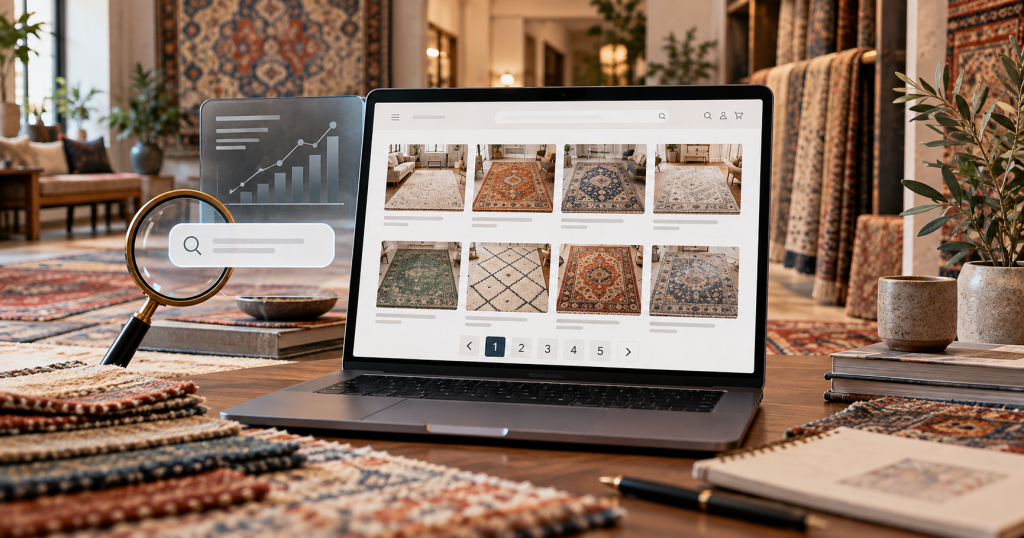
A rug collection can start simply. A store may have twenty Persian rugs, thirty contemporary rugs, or a small selection of 8×10 rugs that can all appear comfortably on one page.
Then the inventory grows.
Twenty rugs become eighty. Eighty become four hundred. A large dealer, marketplace, or multi-brand retailer may eventually have thousands of rugs divided across Persian, Oriental, vintage, handmade, contemporary, wool, size, color, shape, and regional collections.
At that point, loading every product on one category page may make the page unnecessarily heavy and difficult to browse. Pagination becomes a practical solution.
Instead of showing 500 rugs at once, the website might show 36 products on the first page, another 36 on page two, and continue until the full collection has been divided into manageable sections.
For shoppers, that can improve performance and make a large collection easier to navigate.
For search engines, however, pagination introduces another question: can Google actually reach all of the rugs buried on pages two, five, ten, or twenty?
That question matters more than whether the pagination controls look attractive.
If Google cannot follow the pagination properly, deeper product pages may receive fewer internal links, become harder to discover, or take longer to crawl. If the technical implementation is wrong, a store may also create canonical problems, filter duplicates, unnecessary crawl paths, or category URLs that compete with one another.
Good rug collection pagination SEO therefore has one primary goal: make a large collection easy for customers to browse while giving search engines a clear, crawlable path to every important product.
The best implementation is usually simpler than many ecommerce teams expect.
Why Pagination Matters on Large Rug Websites
A rug collection page has two jobs.
The first is commercial. It allows customers to explore inventory.
The second is structural. It links search engines from broader categories into individual product pages.
That second role is easy to underestimate.
Imagine a Persian Rugs collection containing 720 products. The store displays 36 products per page, which creates twenty pages of inventory.
The products on page one receive links directly from the primary Persian Rugs URL. Rugs on pages nineteen and twenty are much farther away from the collection’s main entry point.
If pagination is built correctly, Google can move from page one to page two, page two to page three, and eventually discover products deeper in the collection.
If the site depends on a button that search engines cannot follow, some of those rugs may be much harder to discover through normal crawling.
Google’s current ecommerce documentation specifically recommends crawlable sequential links for paginated content and notes that Googlebot generally discovers URLs through the href attribute of normal anchor elements rather than by clicking interactive buttons.
For rug businesses with frequently changing inventory, this discovery path matters.
New handmade rugs may be added every week. Older products may move deeper into collections as new arrivals are placed first. Sold rugs may leave active categories. Product ordering can change continuously.
Pagination therefore becomes part of the site’s internal architecture rather than a simple design feature.
Pagination Does Not Automatically Create Duplicate Content
One reason website owners sometimes fear pagination is the idea that page two, page three, and page four are duplicate versions of the primary collection.
In a properly implemented ecommerce collection, they are not.
The overall category may remain the same, but the main product set changes from page to page.
For example:
/persian-rugs/
might show rugs 1 through 36.
/persian-rugs/?page=2
might show rugs 37 through 72.
/persian-rugs/?page=3
might show rugs 73 through 108.
Each URL contributes a different set of product links.
That difference is important because the deeper pages help search engines discover products that do not appear on page one.
Google explicitly treats URLs in a paginated sequence as separate pages and recommends giving each one its own URL.
The SEO objective is therefore not to hide page two from Google simply because it shares the same category topic.
The objective is to structure the sequence properly.
Give Every Pagination Page a Real URL
One of the strongest pagination rules is also one of the simplest.
Each paginated page should have a persistent URL.
A clean example might be:
/persian-rugs/
/persian-rugs/?page=2
/persian-rugs/?page=3
/persian-rugs/?page=4
The exact format can vary depending on the ecommerce platform.
A site might instead use:
/persian-rugs/page/2/
or another consistent structure.
The important requirement is that the content on page two can be reached through a real URL rather than existing only after a browser executes an interaction that search engines cannot reliably reproduce.
Google’s ecommerce URL guidance recommends unique URLs for pagination and gives ?page=n as a valid example.
Avoid using fragments such as:
/persian-rugs/#page-2
as the only way to identify pagination.
Google does not use URL fragments in the same way as normal page URLs for indexing, which makes them inappropriate as the primary mechanism for defining separate paginated content.
For a rug store, a good test is simple.
Copy the page-three URL, open it directly in a fresh browser window, and check whether the same page-three products appear.
If the answer is yes, the pagination state is persistent.
If the website always returns to page one unless a JavaScript interaction occurs first, the implementation deserves closer review.
Use Real Crawlable Links Between Pages
The pagination controls should use standard HTML links.
For example:
<a href="/persian-rugs/?page=2">Next</a>
is fundamentally different from a button that triggers JavaScript without exposing a crawlable destination.
Customers may see both versions as a “Next” button.
Googlebot may not.
Google explains that its crawlers generally find URLs in the href attribute of <a> elements and do not behave like human visitors clicking buttons or manually triggering all JavaScript interactions.
That means the visual design can still use styled buttons, arrows, page numbers, or other controls.
Underneath the design, however, the destination needs to exist as a crawlable link.
For example, the user might see:
Previous 1 2 3 4 5 Next
Each page number can still be an <a href> link.
This provides good usability while giving search engines a predictable route through the collection.
Link Paginated Pages Sequentially
At minimum, each pagination page should link to the next page in the series where another page exists.
Page one links to page two.
Page two links to page three.
Page three links to page four.
This allows search engines to progress through the collection.
Google specifically recommends sequential linking for pagination so its crawler can find later content.
Many stores also provide links to several nearby page numbers at once.
For example:
1 2 3 4 5 … 18 Next
That can help both users and crawlers move through the collection more efficiently.
The exact design should reflect collection size.
A category containing only four pages does not need sophisticated pagination.
A marketplace with sixty pages of inventory probably does.
The important principle is that a rug on page thirty should not become practically unreachable simply because the site’s pagination only exposes a JavaScript interaction with no crawlable URLs.
Link Back Toward the First Collection Page
The first page of a rug collection is normally the strongest commercial landing page.
Someone searching Google for “Persian rugs” should generally land on the primary Persian Rugs collection rather than an arbitrary page seventeen.
Google recommends considering links from component pages back toward the first page of the sequence as a signal emphasizing the beginning of the collection.
This fits naturally with user experience.
If someone arrives on page seven and wants to restart browsing, they should easily be able to return to the beginning.
A breadcrumb or collection heading can also reinforce the parent relationship.
For example:
Home > Rugs > Persian Rugs
can remain consistent across the pagination sequence even when the visitor is browsing page four.
This keeps the broader collection identity clear.
Do Not Canonicalize Every Pagination Page to Page One
This is one of the most damaging pagination mistakes ecommerce stores can make.
The logic often sounds reasonable:
Page one is the primary Persian Rugs collection.
Therefore page two, page three, and page four should all canonicalize to page one.
But the pages do not contain the same primary content.
Page two exists partly because it links to rugs that page one does not.
If every paginated URL points its canonical to the first page, the site is effectively telling search engines that the deeper pages are duplicate alternatives to page one.
That can work against the purpose of having crawlable pagination.
Google’s current guidance is clear: do not use the first page of a paginated sequence as the canonical for all subsequent pages. Give each paginated page its own canonical URL.
That means:
/persian-rugs/
canonicals to:
/persian-rugs/
Page two:
/persian-rugs/?page=2
canonicals to:
/persian-rugs/?page=2
Page three:
/persian-rugs/?page=3
canonicals to:
/persian-rugs/?page=3
This is called self-referencing canonicalization.
Ahrefs also recommends self-referencing canonicals on paginated pages rather than canonicalizing the entire sequence to page one.
Page One Should Have One Consistent URL
Another subtle issue occurs when both of these URLs exist:
/persian-rugs/
and:
/persian-rugs/?page=1
If both show exactly the same content and both are linked internally, the site has created an unnecessary duplicate for the first page.
The cleaner approach is to choose one format and use it consistently.
In most implementations, the primary category URL without the page parameter is the natural first page:
/persian-rugs/
Then page two begins:
/persian-rugs/?page=2
Google’s ecommerce URL documentation recommends consistency if a site can access page one both with and without a page parameter.
For a rug store, this keeps internal links, canonicals, analytics, and Search Console reporting cleaner.
You Do Not Need rel=”next” and rel=”prev” for Google
Older pagination articles often recommend tags such as:
rel="next"
and:
rel="prev"
These were once used by Google as signals that several pages belonged to a sequence.
That advice is now outdated for Google Search.
Google states that it no longer uses these tags for pagination. Other search engines may still interpret them, but they are not required for Google to understand the sequence.
For Google, the important elements are much more practical:
• Unique paginated URLs
• Crawlable links
• Logical sequencing
• Correct canonicalization
• Accessible product links
If an existing rug website already includes rel="next" and rel="prev", their presence is not automatically a problem.
But implementing them should not be mistaken for fixing pagination that otherwise has no crawlable links.
Do Not Noindex Page Two, Three and Beyond Automatically
Another common ecommerce tactic is placing noindex on every paginated page except the first.
This may seem attractive because the business wants only the primary category to appear in Google.
The problem is that paginated pages frequently serve as important discovery paths to deeper products.
If the architecture relies heavily on page two, page three, and later pages to expose products, removing those pages from search processing can weaken the structure unnecessarily.
For most standard product collections, a cleaner approach is to let component pagination pages remain crawlable with self-referencing canonicals while making the primary collection page the stronger search destination through internal linking and site hierarchy.
The important distinction is between pagination and low-value filter pages.
?page=3
may expose a new set of products.
?sort=price-low-high
may simply reorder the products the crawler already knows.
These URL types should not automatically receive the same treatment.
Pagination and Filters Need Separate Rules
This distinction becomes critical on rug ecommerce sites because large collections often combine pagination with filters.
Imagine the Persian Rugs collection:
/persian-rugs/?page=3
That URL may be necessary to expose a different set of Persian rug products.
Now imagine:
/persian-rugs/?page=3&color=blue&sort=price-desc
The second URL includes pagination, a filter, and an alternative sort order.
If every combination becomes indexable, the website can produce a huge number of URLs.
Google specifically recommends avoiding the indexing of unnecessary filter and alternate-sort variations within paginated collections.
The clean strategy is therefore not:
Index every URL containing page=.
It is:
Preserve useful pagination while controlling filter and sort combinations separately.
This connects directly with good faceted-navigation planning.
A permanent Blue Rugs collection may deserve indexation because customers search for it.
A temporary parameter that sorts page three of Persian Rugs by price probably does not.
Sorting URLs Usually Should Not Become Search Pages
Sorting can create many unnecessary versions of the same collection.
For example:
/persian-rugs/?page=2&sort=price-asc
/persian-rugs/?page=2&sort=price-desc
/persian-rugs/?page=2&sort=newest
/persian-rugs/?page=2&sort=popular
The core set of rugs may remain nearly the same. Only the order changes.
There is usually little SEO value in asking Google to treat each sort order as an independent search landing page.
Sorting is primarily a user-experience feature.
Customers should be able to organize products in the way they prefer without multiplying the site’s indexable footprint.
The technical implementation can therefore allow sorting while using appropriate indexing or crawling controls for those variations.
The exact method depends on the platform, but the strategic principle remains stable: do not confuse a user preference with a new search intent.
How Many Products Should Appear Per Page?
There is no universal number.
A rug website might show 24 products, 36 products, 48 products, or another reasonable amount.
The correct choice should balance page speed, usability, product imagery, device experience, and crawl depth.
Showing only six rugs per page on a collection containing 600 products would create one hundred paginated pages.
That pushes much of the inventory very deep.
Showing all 600 products on one page may produce an extremely heavy experience, especially when rug listings use large high-resolution images.
The ideal point usually sits somewhere between those extremes.
Ahrefs recommends avoiding excessive pagination and notes that very deep component pages can receive weaker internal signals as the sequence progresses.
For rug stores, this is particularly relevant because product cards are visually heavy.
Every rug may include a large photograph, title, dimensions, price, labels, and sometimes alternate imagery.
The product count should therefore be tested using real performance data rather than selected purely for SEO.
Larger Product Sets Can Reduce Unnecessary Crawl Depth
Imagine two versions of the same 360-rug collection.
Store A shows 12 rugs per page.
That produces 30 pages.
Store B shows 36 rugs per page.
That produces 10 pages.
Assuming both versions remain fast and easy to use, Store B gives search engines a much shorter path through the inventory.
Products deeper in the sequence are fewer clicks away.
This does not mean every store should immediately increase its products per page.
If loading 72 high-resolution rugs destroys mobile performance, the SEO benefit is not worth the user-experience cost.
The goal is efficient browsing rather than maximum density.
A well-built rug website should balance product discovery with page performance.
Popular Rugs Do Not Need to Stay Buried Deep in Pagination
Pagination ordering also affects internal visibility.
Suppose a high-value Persian Heriz rug originally appears on page one.
New inventory arrives every day, pushing that rug to page two, then page four, then page eight.
Eventually one of the most commercially valuable products sits deep inside the collection.
A store does not have to accept that structure blindly.
Important products can receive additional internal links through:
• Featured collections
• Related products
• New arrival sections
• Designer resources
• Relevant articles
• Style collections
• Size collections
This gives valuable products more than one discovery path.
Ahrefs recommends strategically linking important products rather than depending entirely on extremely deep pagination sequences.
For rugs, this approach is particularly natural because one product can legitimately belong to multiple collections.
An 8×10 blue Heriz rug might appear in Persian Rugs, 8×10 Rugs, Blue Rugs, Handmade Rugs, and Heriz Rugs while still maintaining one primary product URL.
Pagination Should Not Be Your Only Product Discovery System
A large rug site should not behave like one enormous list.
If a customer must reach page forty-three of “All Rugs” to find what they need, the taxonomy probably needs improvement.
Useful collections can shorten the journey.
Instead of forcing people to paginate endlessly through 4,000 products, help them move into meaningful categories such as:
• Persian Rugs
• Oushak Rugs
• Vintage Rugs
• Wool Rugs
• 8×10 Rugs
• 9×12 Rugs
• Runner Rugs
• Blue Rugs
• Round Rugs
These narrower collections help shoppers while creating more direct internal pathways to products.
The point is not to eliminate pagination.
It is to prevent pagination from becoming the site’s substitute for good information architecture.
Strong internal linking should connect collections, supporting content, and products in ways that reflect how customers shop.
Infinite Scroll Can Look Great and Still Hide Products From Crawlers
Many modern ecommerce stores prefer infinite scroll.
The customer reaches the bottom of the visible products and more rugs automatically load.
From a visual perspective, there may be no page two.
Technically, however, search engines still need a way to discover the later product groups.
Google’s guidance on search-friendly infinite scroll recommends supporting the experience with paginated loading where each content chunk has a persistent, unique URL.
That means the customer can enjoy a continuous scrolling experience while the underlying architecture still provides URLs such as:
?page=2
?page=3
?page=4
Search engines can crawl those pages even though human users rarely interact with them directly.
This is a good example of SEO and user experience working together rather than competing.
Google Does Not Scroll Like a Shopper
This point deserves emphasis.
A human visitor can scroll down, wait for more products to load, scroll again, and continue for several minutes.
Googlebot should not be expected to behave exactly that way.
If the only way to reveal products 37 through 72 is to perform a specific scrolling action that triggers JavaScript, those products may have a weaker discovery path.
Google recommends ensuring that incrementally loaded content can also be reached through crawlable URLs and links.
For a rug marketplace with thousands of unique items, relying only on interactive loading can therefore become risky.
The visual layer can use infinite scroll.
The technical layer should still expose the collection structure.
Load More Buttons Need the Same SEO Support
“Load More” is another popular compromise.
A collection might initially display 24 rugs and then offer:
Load More Rugs
Clicking the button displays another 24 products without reloading the full page.
Customers often prefer this because it keeps them within one browsing experience.
But again, the button itself should not be the only route to the deeper products.
If Googlebot cannot click the button, there should still be crawlable component pages or direct product discovery paths behind the interface.
A technically sound implementation might show a Load More button to users while maintaining page-two and page-three URLs in the background.
Google can crawl those URLs.
Customers can enjoy the smoother interaction.
The business does not have to choose between the two.
Do Not Build a Massive “View All” Page Without Testing Performance
A View All page can appear to solve pagination elegantly.
Instead of ten collection pages, why not display all 500 rugs on one URL?
For small collections, this may be perfectly reasonable.
For large rug collections, it can become problematic.
Hundreds of large product images can dramatically increase page weight. The browser may need to render a very large DOM. Mobile devices can struggle. Customers may experience longer load times and an overwhelming browsing experience.
Google’s pagination documentation explicitly recognizes that loading all results on one page may be impractical because of performance and resource limitations.
Therefore, do not choose a View All page simply because it appears simpler for SEO.
Choose it only if the user experience remains genuinely good.
If the page becomes slow or unstable, proper pagination is usually the stronger solution.
Product Images Make Rug Pagination Especially Sensitive to Performance
A rug product grid is naturally image-heavy.
Customers need to see color, pattern, texture, and overall design before deciding whether to open an individual product.
This means a rug collection often carries more visual weight than a category selling simple low-image products.
Pagination can help control that load.
Instead of forcing the browser to retrieve hundreds of rug thumbnails immediately, the site can display a manageable portion of the collection.
Image optimization still matters.
Use appropriately sized images for collection cards rather than automatically loading the full-resolution product photography used on the individual rug page.
Lazy loading can also be useful for product images below the initial viewport, but content immediately visible when the page opens should be handled carefully so the site does not create a noticeable loading delay. Google specifically advises against lazily loading content that is likely to be immediately visible.
The pagination strategy and image strategy should therefore be planned together.
What Content Should Appear on Page Two and Beyond?
A practical question is whether page two needs the same category description as page one.
In most cases, repeating a large block of introductory copy on every component page does little for shoppers.
The primary collection introduction belongs naturally on page one.
Page two and beyond can focus primarily on inventory and navigation.
Google notes that paginated pages do not necessarily require unique titles and descriptions for every component because its systems try to recognize the sequence.
However, many stores still choose to differentiate title tags slightly for clarity.
For example:
Persian Rugs | Handmade Collection
Page two:
Persian Rugs – Page 2 | Handmade Collection
This is not mandatory, but it can make reporting, browser navigation, and technical auditing easier.
The more important issue is avoiding enormous duplicated text sections across every pagination page.
Should H1s Change on Paginated Pages?
The H1 can remain consistent.
Page one might use:
Persian Rugs
Page two can also use:
Persian Rugs
because the visitor is still browsing the same collection.
There is no need to manufacture a new keyword target for every component.
If the interface shows a smaller navigation label such as “Page 2 of 14,” that is enough to communicate position.
Pagination pages are not supposed to become separate SEO categories.
They are sections of one larger shopping experience.
Product Order Can Affect Crawl Distribution
The first pagination pages generally receive stronger internal exposure than very deep pages.
This means product ordering has SEO implications even when the ranking algorithm itself is not directly based on “page number.”
Products repeatedly placed near the beginning of major collections receive stronger and more frequent internal discovery paths.
Products sitting permanently on page thirty may receive weaker internal connectivity.
That is another reason not to sort inventory randomly without considering commercial priorities.
New arrivals may deserve temporary visibility near the beginning.
Best sellers may deserve additional featured links.
Unique products with strong organic demand may need placement in several relevant collections.
Older products that remain commercially important should not necessarily disappear into the deepest possible position.
Good merchandising and good SEO can support each other here.
Avoid Pagination Loops and Broken Sequences
Technical bugs can make pagination much worse than expected.
For example:
Page five links back to page three instead of page six.
Page eight returns the same products as page seven.
Page ten links to page eleven, but page eleven returns a 404.
A filter changes the number of pages but the old pagination controls remain.
Page three canonicalizes to page one while page four canonicalizes to itself.
These inconsistencies make crawling less predictable.
A technical crawl should therefore test the sequence.
For important collections, verify:
• Every page returns HTTP 200 when it should
• Page numbers load the expected products
• Next links lead to the correct next page
• Previous links lead to the correct previous page
• Canonicals are self-referencing
• Product links are crawlable
• No page unexpectedly redirects to page one
• Empty component pages do not remain accessible indefinitely
The larger the store, the more valuable this automated QA becomes.
Handle Empty Pagination URLs Correctly
Suppose a collection currently has six pages.
What should happen if someone requests:
/persian-rugs/?page=50
The website should not quietly show the same content as page one.
Doing that can create effectively unlimited duplicate URLs because:
?page=51
?page=100
?page=9999
might all return a valid-looking category.
A request for a component page that does not exist should normally return an appropriate not-found response rather than generating duplicate content.
The same issue can happen after inventory shrinks.
A collection may previously have twelve pages but now has only eight.
Pages nine through twelve should not continue serving stale or duplicated content indefinitely.
This is an area worth testing during inventory changes.
Keep Pagination URLs Out of the XML Sitemap in Most Cases
An XML sitemap should generally emphasize canonical URLs that matter most for search discovery.
Product pages, major categories, service pages, and important content usually deserve priority.
There is typically little need to list every pagination component such as:
?page=2
?page=3
?page=4
inside the XML sitemap simply because those URLs are crawlable.
Google can discover them through the pagination links.
The sitemap can remain focused on the primary collection URL and the individual product pages you want discovered.
This keeps the sitemap cleaner and emphasizes the site’s actual canonical inventory.
Google also recommends not filling sitemaps with URLs that you do not want appearing in search.
Product Sitemaps Provide Another Discovery Path
Large rug stores should not depend exclusively on category pagination for product discovery.
Product URLs can also appear in the XML sitemap.
For eligible ecommerce implementations, product data can additionally be shared through merchant feeds.
Google recommends sitemaps and product feeds as additional methods for helping its systems discover ecommerce inventory, particularly when JavaScript-based loading is involved.
This creates useful redundancy.
Pagination communicates the website hierarchy.
Internal links show relationships.
The sitemap lists important URLs directly.
Product feeds communicate commerce data.
A rug on page eighteen does not have to depend on only one discovery path.
Search Console Can Reveal Pagination Problems
Pagination problems often appear indirectly in Google Search Console.
You may notice that products listed deep in collections receive very few impressions.
Google may select unexpected paginated URLs as search results.
Large numbers of parameter URLs may begin appearing in indexing reports.
New products may take longer than expected to appear.
Search Console URL Inspection can help determine whether an individual paginated URL is crawlable and which canonical Google selected.
For larger technical investigations, server logs and crawling software can provide even more detail.
The key questions are:
Is Google crawling page two and beyond?
Can Google reach the products shown there?
Are unexpected filter combinations being crawled excessively?
Is Google selecting the preferred canonical?
Do product URLs receive links from multiple useful parts of the website?
Search Console should be used as evidence rather than assuming a theoretically correct pagination implementation is working perfectly.
Crawl the Site and Compare Product Depth
A crawler can reveal how many clicks separate important rug products from major category pages.
This is useful because pagination depth can gradually increase without anyone noticing.
Suppose a product is:
Home → Persian Rugs → Page 18 → Product
Another is:
Home → Persian Rugs → Product
The second has a much shorter internal path.
That does not mean every product must be linked from page one, but the difference can reveal whether the architecture is becoming too dependent on pagination.
A useful audit can examine:
• Crawl depth
• Number of internal links
• Pagination sequence length
• Orphan products
• Non-canonical internal links
• Pagination canonical tags
• Parameter URLs
• Empty pages
• Response codes
This is especially valuable for one-of-a-kind rug inventory where products enter and leave the site frequently.
Large Collections May Need Better Subcategories Instead of More Pagination
Imagine a category called “Area Rugs” has 5,000 products and 140 pagination pages.
Technically, the pagination might work perfectly.
Strategically, the category can still be too broad.
Most customers are unlikely to browse 140 pages sequentially.
Search engines can crawl them, but the website may be missing a better opportunity.
Breaking the inventory into useful commercial subcategories can improve both navigation and SEO.
For example:
Area Rugs
can lead to:
Persian Rugs
Oushak Rugs
Modern Rugs
Vintage Rugs
Wool Rugs
8×10 Rugs
9×12 Rugs
Runner Rugs
Now customers can narrow the inventory before pagination becomes extremely deep.
This is where taxonomy and SEO become closely connected.
The purpose is not to create categories merely to reduce pagination.
The categories should represent genuine customer demand.
Do Not Build Subcategories Only to Escape Pagination
There is also an opposite mistake.
A store sees thirty pagination pages and begins creating dozens of unnecessary categories solely to shorten the list.
That can create thin collection pages, filter duplication, and keyword cannibalization.
A new collection should still meet the same standards as any other SEO page.
It should represent real search or browsing intent.
It should have enough inventory.
It should remain useful over time.
It should not simply duplicate another category.
Pagination depth can reveal that the taxonomy needs review, but it should not dictate category creation mechanically.
Pagination Changes When Rugs Sell
Rug inventory can be unusually dynamic.
A marketplace may add and sell dozens of unique rugs every day.
When products disappear from active collections, pagination shifts.
A rug that was previously on page five might move to page four.
Another may move from page twelve to page ten.
This is normal.
The product URL itself should remain stable.
The pagination URL is simply a route through the current collection inventory.
That is one reason product URLs should not contain a permanent identity tied to pagination position.
Avoid product structures such as:
/persian-rugs/page-4/rug-1847/
when the pagination portion is required to identify the product.
A direct stable product URL allows inventory ordering to change without changing the product’s identity.
This also supports a stronger unique inventory strategy.
New Arrivals Can Push Older Rugs Deeper
Sorting by newest first is common in rug stores because customers often want to see fresh inventory.
But there is a side effect.
Every new shipment pushes older products farther into pagination.
A rug that originally received a page-one collection link may eventually sit on page twelve.
For products that remain important, supplementary internal links become valuable.
For example, an older antique Heriz rug might still appear in:
Antique Rugs
Heriz Rugs
Red Rugs
9×12 Rugs
All of those collections can point to the same primary product URL.
This prevents one sequence from becoming the product’s only connection to the rest of the site.
Keep One Product URL Across All Pagination Paths
A rug discovered on page two should have the same product URL as when it appears on page seven of another collection.
Do not create:
/persian-rugs/page-2/rug-name/
and:
/red-rugs/page-7/rug-name/
as separate product identities unless the system has a very good technical reason.
The collections and pagination pages are discovery paths.
The product should remain stable.
This principle makes canonicalization, internal linking, analytics, backlinks, Merchant Center data, and inventory management much cleaner.
A strong ecommerce structure separates where the product is found from what the product’s permanent URL is.
Pagination Should Work on Mobile Too
Google uses mobile-first indexing.
That means the mobile version of the site matters greatly for discovery.
If desktop users receive full pagination links but the mobile version only provides a JavaScript Load More button with no equivalent crawlable links, the store may have created inconsistent discovery paths.
Google recommends keeping important crawlable links available in the mobile experience as well.
This does not mean the desktop and mobile pagination interfaces must look identical.
They can be designed differently for usability.
The underlying crawlable paths should still expose the important content.
For a rug store where mobile visitors may represent a large share of shoppers, this is good UX as well as good SEO.
A Practical Pagination Setup for a Rug Collection
Imagine Danabak is advising a rug retailer with 420 Persian rugs.
The store displays 36 products per page.
That produces twelve component pages.
A clean structure could work like this:
Primary collection:/persian-rugs/
Page two:/persian-rugs/?page=2
Page three:/persian-rugs/?page=3
Each component has a self-referencing canonical.
Each component includes crawlable links to nearby pagination pages.
Every product card links directly to the product’s primary URL.
The first category page contains the main introductory collection content.
Deeper pages focus mainly on inventory.
Sorting parameters are controlled so they do not create unnecessary indexable alternatives.
Filters follow a separate faceted-navigation strategy.
Product URLs appear in the XML sitemap.
Important rugs also receive links through other relevant collections and content.
This is not complicated.
That is precisely why it works.
A Pagination Audit Checklist for Rug Stores
When reviewing a live rug website, I would check the following areas:
• Does every pagination component have a unique persistent URL?
• Can each page be loaded directly?
• Are page links built with crawlable <a href> elements?
• Can Google move sequentially through the collection?
• Does every pagination page use a self-referencing canonical?
• Is page one represented consistently?
• Are products linked using their primary URLs?
• Are filter parameters handled separately from pagination?
• Are sort-order variations prevented from creating unnecessary search pages?
• Do non-existent page numbers return appropriate responses?
• Does infinite scroll have an underlying paginated structure?
• Can mobile Googlebot reach the same important products?
• Are important products buried extremely deep?
• Does the collection need better subcategories?
• Are product URLs included in the sitemap?
• Are pagination URLs being indexed unexpectedly in Search Console?
A store does not necessarily have a problem simply because it uses pagination.
Problems usually come from the implementation around it.
Common Rug Collection Pagination Mistakes
The most common mistakes are remarkably consistent across ecommerce websites.
Canonicalizing everything to page one. This tells search engines that deeper pagination pages are alternatives to the first page even though they expose different product sets.
Using only JavaScript buttons. The interface works for shoppers but provides no reliable crawlable path to later inventory.
Noindexing every deeper page automatically. This can weaken product discovery when pagination is an important internal route.
Creating duplicate page-one URLs. Both /collection/ and ?page=1 receive internal links without a clear preferred version.
Indexing every sort order. The same inventory becomes available through numerous URLs.
Combining filters and pagination without controls. Thousands of low-value parameter combinations become crawlable.
Loading too few products. Large collections create unnecessarily deep pagination.
Loading too many products. Pages become slow and difficult to use.
Relying entirely on pagination. Important products have no other internal links.
Broken component pages. Deep URLs return duplicate page-one content, redirects, or errors.
Using fragments for pagination. Page state exists after # rather than as a persistent crawlable URL.
Most of these problems are technical rather than content problems.
That is why pagination should be reviewed during ecommerce development rather than after thousands of products are already live.
Pagination Is Part of the Larger Rug SEO System
A perfectly implemented pagination sequence cannot compensate for poor category architecture.
Likewise, a great collection page cannot help products that crawlers cannot reach.
The strongest structure connects several layers:
Homepage → Major Collection → Subcollection → Product
Pagination then helps distribute inventory within large collections.
Filters help customers refine those collections.
Blogs and buying guides provide additional contextual links.
Product pages connect into related collections.
Sitemaps provide another discovery path.
This is why pagination should not be handled as a standalone developer ticket.
It belongs within the broader rug marketing and ecommerce strategy.
The question is not simply, “Does the Next button work?”
The better question is:
Can customers and search engines efficiently discover the full inventory without creating unnecessary URLs or extremely deep pathways?
Final Thoughts
Pagination is not an SEO problem by itself.
For large rug collections, it is often a necessary and useful part of the website.
The problems begin when pagination hides products behind uncrawlable interactions, creates inconsistent URLs, uses incorrect canonical tags, mixes uncontrolled filter parameters into the sequence, or forces important inventory dozens of clicks away from stronger pages.
A well-optimized rug collection should give every component page a real URL, connect those pages with normal crawlable links, and allow each paginated page to reference itself canonically.
Do not canonicalize every component to page one.
Do not rely on rel="next" and rel="prev" as the solution for Google.
Do not assume infinite scroll or a Load More button automatically exposes every rug to crawlers.
And do not let pagination become a substitute for useful categories and internal linking.
The first page of a collection should remain the primary shopping and search destination, while page two and beyond help customers and crawlers access the rest of the inventory.
Products themselves should maintain stable URLs regardless of where they appear in the sequence.
When a collection becomes extremely deep, look beyond the pagination control. The website may need stronger subcategories, better product distribution, or additional internal links to commercially important rugs.
For rug stores, the ultimate objective is not making Google index every pagination page for its own sake.
The objective is making sure Google can discover and understand the rugs behind those pages.
A customer searching for the right rug should not miss a strong product simply because it was sitting on page twelve.
Neither should a search engine.
FAQs
Is pagination bad for rug store SEO?
No. Proper pagination can help large rug collections remain fast and browsable while giving search engines access to products that cannot reasonably appear on one page.
Should page two canonicalize to page one?
No. Google recommends that each paginated page have its own canonical URL rather than canonicalizing the entire sequence to the first page.
Should paginated pages be noindexed?
Not automatically. If search engines rely on those pages to discover deeper products, broadly applying noindex can work against the site’s internal discovery structure.
Does Google still use rel=”next” and rel=”prev”?
No. Google states that it no longer uses these tags as pagination signals, although other search engines may still use them.
Should page two have a different URL?
Yes. Google recommends giving each pagination component a unique persistent URL, such as ?page=2.
Can infinite scroll be SEO-friendly?
Yes, if the website also provides crawlable paginated URLs for the content chunks so search engines can reach products without performing human scrolling actions.
Is a Load More button enough for Google?
Not by itself. The deeper products should also be accessible through crawlable URLs and links rather than depending only on a user-triggered button.
How many rugs should appear on each collection page?
There is no fixed number. Choose enough products to avoid unnecessarily deep pagination while keeping page speed, visual quality, and mobile usability strong.
Should pagination pages have unique title tags?
They can, but Google says pages in a pagination sequence do not necessarily need unique titles and descriptions. Some stores still add “Page 2” or similar wording for clarity.
Should paginated URLs appear in the XML sitemap?
Usually the primary collection and product URLs are more important sitemap entries. Pagination components can normally be discovered through their internal links.
What should happen if someone visits a page number that does not exist?
The site should not repeatedly return page-one content for unlimited page numbers. Non-existent pagination URLs should be handled appropriately rather than generating endless duplicate pages.
Can pagination make products harder for Google to find?
Yes, particularly when products appear only on very deep pagination pages or when the Next and page-number controls are not crawlable.
Should sorting URLs be indexed?
Usually not. Sorting normally changes the order of the same inventory rather than creating a genuinely different search category.
How should filters work with pagination?
Treat filters and pagination separately. Useful pagination pages can remain crawlable while low-value filter and sort combinations are controlled to avoid unnecessary URL multiplication.
Is pagination better than showing every rug on one page?
For large collections, often yes. Showing every product can create performance and usability problems. Smaller collections may not need pagination at all.
What is the best pagination structure for rug stores?
Use unique paginated URLs, crawlable sequential links, self-referencing canonicals, stable product URLs, controlled filters, and additional internal paths to important inventory.