


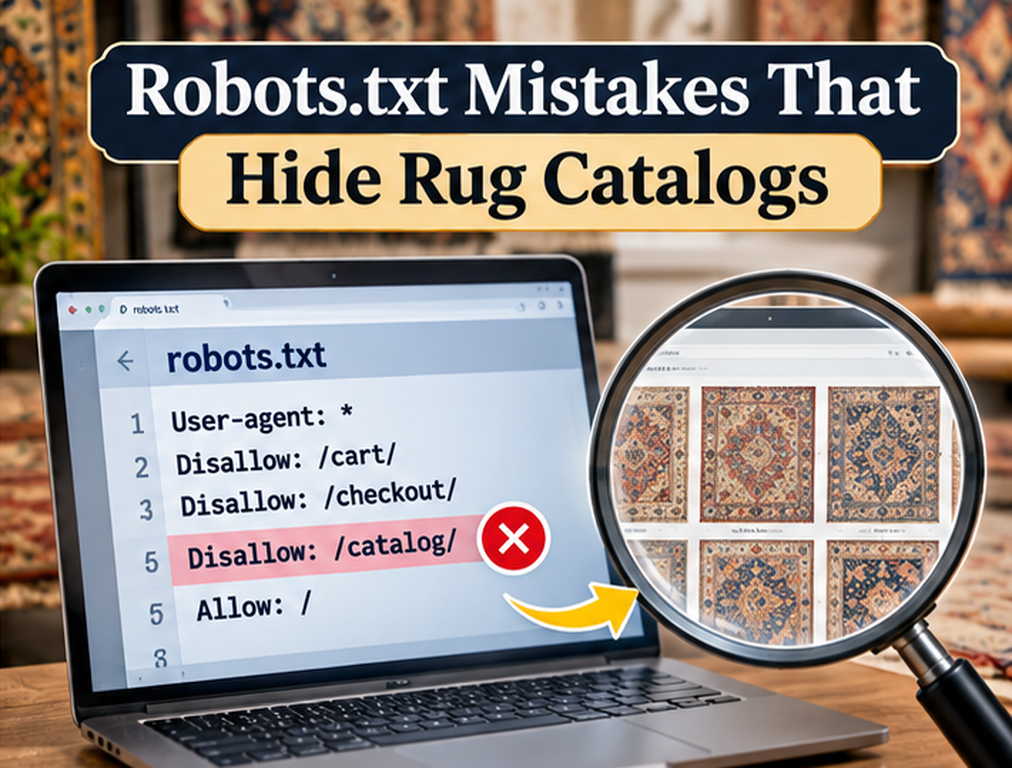
A robots.txt file can contain only a handful of lines and still affect thousands of rug product URLs. That makes it one of the most powerful and potentially dangerous files on a large ecommerce website. A developer may intend to block internal search results, checkout pages, sorting parameters, or staging resources and accidentally create a rule that also prevents Googlebot from crawling product collections, product media, pagination, or the JavaScript needed to render the catalog. The storefront may continue working normally for customers while organic discovery begins deteriorating because the restriction affects crawlers rather than ordinary browsers.
Google follows robots.txt rules before crawling website paths. A Disallow rule prevents the matching crawler from requesting the affected URLs, but blocking crawling is not the same as guaranteeing removal from Google’s index. Google explains that it cannot index the content of a page it cannot crawl, yet the URL itself may still appear in search results without a snippet when Google discovers it through links. This distinction matters because many ecommerce teams use robots.txt as though it were a universal indexing control when it is actually a crawling control.
Blocking the Entire Product Directory
One of the most damaging mistakes is an overly broad directory rule such as:
User-agent: *
Disallow: /products/
If the site’s live product URLs all begin with /products/, the rule can prevent crawlers from accessing the entire product catalog.
This may happen during development when someone blocks a temporary product area and later changes the site architecture without reviewing robots.txt. It can also happen after migrating from a platform where the same directory had a different purpose.
For a site dependent on unique inventory, preventing Googlebot from crawling the main product directory undermines the entire product SEO strategy regardless of how strong the descriptions, photography, schema, or internal links are.
Blocking a Parent Directory by Accident
Robots rules operate on path patterns, so a rule intended for one subsection can affect more than expected when the pattern is too broad.
Suppose the website contains:
/rugs/
/rugs/antique/
/rugs/modern/
/rugs/search/
The business wants to block only /rugs/search/ but adds:
Disallow: /rugs/The result is not restricted to search results. The whole rug section becomes unavailable to matching crawlers.
Always test the exact pattern and representative URLs before publishing a new rule.
The broader the catalog, the greater the potential damage from one line.
Using Robots.txt to Noindex Products
Another common mistake is assuming:
Disallow: /old-rugs/means the old URLs will disappear from Google Search.
Google explicitly distinguishes between crawl blocking and indexing control. A disallowed URL can sometimes remain visible as a URL-only result when Google learns about it through other pages.
If the objective is to remove a page from search while keeping it publicly accessible, a noindex robots meta directive or equivalent HTTP header is generally the appropriate indexing instruction, and Google needs to be able to crawl the page to see that directive.
Blocking the page in robots.txt at the same time can prevent Google from seeing its noindex instruction.
Blocking Product Images
Rug ecommerce depends heavily on image discovery, and robots.txt can control crawler access to media files as well as HTML pages.
A rule that blocks a product image directory may remove those images from Google’s image-search ecosystem. Google states that images and videos need to be crawlable if they are to be indexed as media content.
For example:
User-agent: Googlebot-Image
Disallow: /product-images/
may be intentional when a business truly does not want those files appearing in Google Images, but it is usually a poor choice for a rug retailer hoping customers discover products visually.
Review image-specific rules separately from page rules because Googlebot-Image can be targeted independently. Google’s crawler documentation identifies Googlebot-Image as a specific crawler token used for images.
Blocking CSS and JavaScript Needed for Rendering
Some older robots.txt templates contain broad blocks on CSS, JavaScript, plugin, or asset directories because those files themselves do not need to rank.
That reasoning misses an important point. Google may need resources to render and understand the page.
If product content, navigation, gallery information, or mobile layout depends on blocked resources, Google’s rendered page may differ substantially from what customers see.
A technical SEO audit should therefore review not only which HTML URLs Google can fetch but also whether important resources required to understand those pages remain available.
Do not block a resource merely because the resource URL itself is not intended to appear in search.
Copying a Staging Robots File to Production
Staging environments are commonly blocked from search, sometimes with:
User-agent: *
Disallow: /
This is appropriate for a non-public development environment in many situations, but it becomes catastrophic when the same file reaches the production domain during deployment.
The live website can continue functioning normally for customers while Googlebot is told not to crawl anything.
Deployment procedures should therefore include a production robots.txt check after launches, migrations, environment changes, and major hosting moves.
Do not rely on someone remembering to check manually each time. Build the verification into the launch checklist.
Blocking Pagination
A rug collection may contain hundreds of products spread across several pages. If robots.txt blocks pagination URLs while many products are primarily discoverable through those pages, Google may have a weaker path toward deeper inventory.
For example, blocking every URL containing ?page= can cause problems when paginated URLs are the site’s primary crawlable mechanism for reaching later products.
Google’s lazy-loading and infinite-scroll guidance recommends persistent paginated URLs and crawlable sequential links when content is loaded progressively.
Before blocking parameters globally, determine whether the parameter changes only sorting or whether it exposes unique products that search engines need to reach.
Blocking Every Filter Without Understanding the Catalog
Faceted navigation can create enormous numbers of URLs, and it is reasonable for large ecommerce websites to control crawling of low-value combinations. The mistake is blocking every filter without distinguishing useful landing pages from disposable combinations.
A rug store may have legitimate search demand for stable collections such as 8×10 rugs, blue rugs, wool rugs, or round rugs. Another combination such as sort-by-price plus three temporary filters may have no independent SEO purpose.
The architecture should decide which URLs deserve indexable landing pages first. Robots rules can then support that strategy instead of replacing it.
The site’s existing rug filter SEO approach should determine which facets remain crawlable and which combinations are intentionally restricted.
Blocking Canonical Destinations
A product page can point its canonical tag toward a preferred URL, but that canonical destination still needs to be accessible.
If robots.txt prevents crawling of the canonical target, Google receives conflicting signals and loses access to important information about the preferred page.
This can happen during migrations when old and new path structures overlap with legacy robots rules.
Audit robots.txt, canonical tags, redirects, internal links, and XML sitemap URLs as a connected system rather than checking each technical element independently.
Blocking Sitemap URLs or Important Sitemap Sections
Robots.txt supports Sitemap: declarations, and Google accepts fully qualified sitemap locations through the file.
The sitemap itself does not override disallow rules. Including a product URL in XML while simultaneously blocking its path in robots.txt does not grant Google permission to crawl the page.
This can create confusing Search Console reporting because the business continues submitting important products that Google is instructed not to request.
For a large catalog, compare sitemap URL patterns with robots rules during every major technical audit.
Forgetting That Paths Are Case Sensitive
Google’s robots.txt documentation states that the values used in allow and disallow paths are case sensitive.
That means a rule targeting /Products/ may not behave the way someone expects when live URLs use /products/.
Case inconsistencies can create difficult troubleshooting situations because the robots file appears visually correct while the actual paths do not match.
The safest approach is to maintain consistent lowercase URL conventions where practical and test representative URLs against the published rules.
Using Unsupported Crawl-Delay Rules
Some robots files attempt to control Googlebot using:
Crawl-delay: 10Google states that its crawlers do not process the non-standard crawl-delay directive.
If server load from crawling is genuinely problematic, investigate server health, crawl patterns, unnecessary URL generation, and Google’s supported crawl controls rather than assuming this directive will solve the problem.
For most rug websites, the more useful solution is removing crawl traps and improving server performance.
Blocking Sold Products Without a Product Lifecycle Strategy
A one-of-a-kind rug store may accumulate thousands of sold product URLs. Blocking the entire sold directory can appear attractive, but it can create problems when some of those pages have backlinks, search visibility, historical value, or useful alternatives.
The correct response depends on what should happen to sold inventory.
Some pages may remain live and indexable. Some may redirect to a close replacement or collection. Some may eventually return a proper 404 or 410. The sitemap, internal links, canonical strategy, and robots file should all reflect the chosen lifecycle.
Do not use one robots rule as a substitute for deciding what sold pages are supposed to do.
Blocking Important Location or Regional Sections
International and regional rug stores may use paths such as /us/, /uk/, or /de/. A legacy rule written to block a temporary regional test section could later hide the production market.
Because country or language directories often contain complete copies of products and collections, one incorrect robots rule can affect thousands of pages at once.
Whenever new regional architecture is launched, test the exact locale paths and verify that Google can reach the appropriate versions.
This is particularly important when hreflang points toward those URLs because alternate annotations cannot compensate for a page Google is prevented from crawling.
Review Specific Crawler Rules
A robots file may contain different groups for Googlebot, Googlebot-Image, and other crawlers.
Google’s crawler documentation explains that specific user-agent groups can apply separate allow and disallow rules.
This means a general rule may look correct while a more specific group later in the file blocks a crawler the SEO team cares about.
Do not review only the User-agent: * section.
Check all groups relevant to Search, images, and other Google services used by the business.
Server Errors on Robots.txt Can Affect Crawling
Robots.txt itself needs to be reliably available.
Google’s current specification explains that 4xx responses other than 429 are generally treated as though no robots file exists, while server errors can cause Google to temporarily stop crawling and reuse the last known good file under certain conditions.
A robots endpoint that intermittently returns 5xx errors can therefore create crawling consequences even when the contents of the file are technically correct.
Monitor the file like another critical site resource rather than treating it as a forgotten static document.
Audit Robots.txt After Every Major Website Change
A robots configuration that was correct for one platform may be wrong after a migration.
Paths change, collection systems change, filter parameters change, image directories move, and old blocked directories can become important production sections.
The current Danabak content on URL migration reinforces why technical signals need to be revisited when a rug catalog changes structure.
Include robots testing during platform migrations, redesigns, domain moves, regional launches, major theme changes, and ecommerce architecture updates.
Final Thoughts
The most dangerous robots.txt mistakes are rarely complex. They are usually broad rules applied to the wrong path, legacy directives that outlive the architecture they were designed for, or attempts to use robots.txt for a job it was not designed to do.
For a rug store, protect crawl access to active products, important collections, pagination required for discovery, critical rendering resources, and product imagery intended for Google Images. Use crawl restrictions deliberately for genuinely unnecessary areas such as certain internal search spaces, action URLs, or low-value duplicate combinations when the architecture supports that choice.
Most importantly, remember that robots.txt controls crawling, not guaranteed deindexing. Google may still know about a blocked URL even though it cannot crawl its content.
A short robots file can influence an enormous catalog, so every rule should be treated as a sitewide technical decision rather than a harmless line of text.
FAQs
Can robots.txt remove a rug product from Google?
Not reliably by itself. A blocked URL can sometimes remain in search results without a snippet because Google may discover the URL through other sources.
Should product images be blocked in robots.txt?
Usually not when the retailer wants those images available to Google Images. Google needs crawl access to media that should be indexed.
Can I block CSS and JavaScript because they do not need rankings?
Be careful. If Google needs those files to render and understand the page, blocking them can interfere with how the product page is processed.
Does Google support crawl-delay in robots.txt?
No. Google’s current crawler documentation states that its crawlers do not process the non-standard crawl-delay rule.
Does an XML sitemap override a robots.txt block?
No. Putting a URL in the sitemap does not override a disallow rule that prevents Googlebot from requesting the URL.