


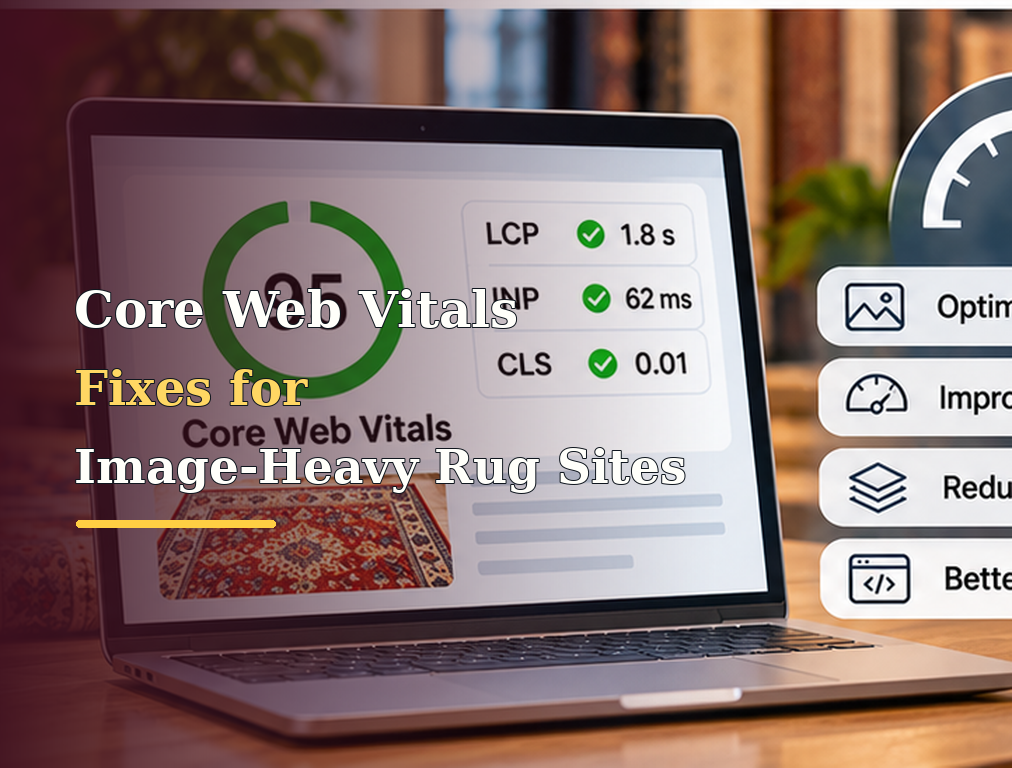
Rug websites depend on high-quality imagery more heavily than many other ecommerce categories. Customers want to inspect pattern, color, pile, texture, fringe, condition, weave, room scale, and close-up details before considering a purchase. A one-of-a-kind rug listing may therefore contain a large hero image followed by ten or fifteen additional photographs, while collection pages may load dozens of product thumbnails simultaneously. Removing those images is not a realistic performance strategy because photography is fundamental to the buying experience. The real objective is to deliver the visual detail customers need without making them wait unnecessarily for the page to load, causing the layout to jump while images appear, or allowing heavy scripts and galleries to make the interface slow to respond.
Google’s current Core Web Vitals are Largest Contentful Paint, Interaction to Next Paint, and Cumulative Layout Shift. Google recommends an LCP of 2.5 seconds or less, INP below or equal to 200 milliseconds, and CLS of 0.1 or less, evaluated at the 75th percentile of user experiences. These metrics measure different aspects of experience, so optimizing an image-heavy rug website means more than compressing JPEGs. LCP is often strongly affected by a large hero or first product image, CLS can come from image areas with missing dimensions, and INP may be damaged by JavaScript-heavy galleries, filters, zoom tools, wishlists, and third-party widgets.
Start With Real User Data
Before changing the website, determine which Core Web Vital is actually failing and which page types are affected. Search Console’s Core Web Vitals report groups URLs using real-world Chrome experience data, while PageSpeed Insights can combine Chrome User Experience Report field data with lab diagnostics when sufficient data exists. Google evaluates Core Web Vitals around the 75th percentile because a site should provide a good experience for most users, not only for someone testing from a fast office connection.
For a rug store, separate page types during diagnosis. The homepage may have a large editorial hero, collection pages may load forty thumbnails, and individual product pages may contain large galleries and zoom functionality. These pages can fail for completely different reasons.
Do not begin by installing another optimization plugin simply because PageSpeed shows a low score. First identify which real-world metric is poor, which templates are affected, and what element or task is responsible.
A broader technical SEO process should treat performance as a template-level problem that can often affect hundreds or thousands of URLs simultaneously.
Identify the Actual LCP Element
Largest Contentful Paint measures when the largest visible image, text block, or video in the viewport is rendered. On a rug ecommerce page, the LCP element is frequently the main product photograph, homepage hero, collection banner, or large promotional image.
Use PageSpeed Insights or Chrome performance tools to identify the LCP element instead of assuming every large image is equally important.
If the primary rug image is the LCP element, optimizing images far below the fold will not solve the main LCP problem. The browser needs to discover and retrieve that specific image earlier.
This distinction is particularly important for image-heavy sites because teams sometimes spend hours compressing every product thumbnail while the above-the-fold hero remains delayed behind JavaScript, CSS, an oversized image file, or a lazy-loading script.
Never Lazy Load the Main LCP Image
Lazy loading is useful for images customers may not see immediately, but applying it to the main above-the-fold product or hero image can delay the most important visual element.
Web.dev specifically warns against lazy loading the LCP image because the browser waits longer before beginning the request. It recommends allowing the LCP resource to load immediately and, where appropriate, using fetchpriority="high" to increase its priority.
A product image likely to become LCP might therefore use an implementation such as:
<img
  src="/images/antique-heriz.webp"
  width="1200"
  height="1600"
  fetchpriority="high"
  alt="Antique Heriz rug with geometric medallion">
The exact dimensions and markup depend on the site, but the principle is straightforward: the first important image should not wait for the same lazy-loading logic used for the tenth gallery image.
Lazy Load Images Below the Fold
While the first important image should load early, the opposite approach usually makes sense for product gallery images and collection thumbnails that begin outside the initial viewport.
A customer opening a product page does not need twelve full-resolution rug photographs downloaded before they can see the title, price, main image, and purchase information.
Below-the-fold images can be loaded as the user approaches them, reducing competition for network bandwidth during the critical first part of the page load.
The implementation should still be tested carefully. An image positioned just below the fold on a desktop may appear immediately on a taller mobile viewport, and aggressive lazy-loading thresholds can sometimes create visible delays as customers scroll.
A strong rug ecommerce site should prioritize the sequence of images according to when customers actually need them.
Serve Images at the Size They Are Displayed
Uploading a 5000-pixel-wide rug photograph and displaying it as a 500-pixel product card wastes bandwidth, even when the image looks excellent.
The website should generate or serve appropriately sized image variants for different layouts and devices.
Responsive image markup using srcset and sizes allows the browser to select a suitable image based on the viewport and layout rather than forcing every visitor to download the largest source file.
This is especially valuable on collection pages where dozens of rugs may appear simultaneously. A desktop product grid does not usually require the same image resolution as a full-screen zoom view.
Keep the high-resolution original for zoom and detailed inspection where necessary, but do not make it the default resource for every thumbnail.
Choose Efficient Image Formats
Modern image formats can substantially reduce file size while preserving useful photographic quality. WebP and AVIF are commonly used for ecommerce imagery, although the exact choice should depend on the site’s image pipeline, quality requirements, and browser support strategy.
Rug photography contains intricate pattern, color variation, texture, and fringe details, so aggressive compression can damage the very information customers need. The objective is not creating the smallest possible image regardless of quality.
Test compression visually on actual products. A machine-made solid-color rug may tolerate stronger compression than an antique Persian rug where customers need to inspect subtle color variation and condition.
Image optimization should preserve selling detail while removing unnecessary bytes.
Compress the Original Upload Workflow
Performance problems often begin before an image reaches the website.
A photographer may upload 15 MB files directly into WordPress or another CMS, after which the platform creates several resized copies but still allows large originals to be loaded by certain templates.
Create an image-processing workflow that automatically resizes, compresses, and generates the required formats when files are uploaded.
This is more reliable than asking content editors to manually optimize every image.
For a catalog with thousands of unique rugs, automated image handling can prevent future performance problems from returning after the development team finishes the initial optimization project.
Use an Image CDN Where It Provides Real Value
An image CDN can resize, optimize, cache, and deliver the appropriate image closer to the customer.
For a rug retailer serving customers across the United States or internationally, this can reduce image transfer time and simplify responsive delivery.
The CDN should not create unstable URLs, indexing problems, or unnecessary transformations every time a page loads. It should generate predictable optimized variants and cache them effectively.
If the website already uses a CDN, verify whether product imagery is actually being served through it. It is common to discover that CSS and JavaScript use the CDN while the largest product photographs still come directly from the origin server.
Improve Server Response Before Blaming Images
LCP includes more than the image download itself. Web.dev notes that LCP timing can include previous unload time, connection setup, redirects, and Time to First Byte before the LCP element can even begin rendering.
A perfectly optimized 100 KB rug image will not create fast LCP if the server takes two seconds before returning the HTML.
Check hosting performance, caching, database response, redirects, CDN configuration, and expensive server-side operations.
This matters particularly for large ecommerce databases where product pages may generate inventory, pricing, recommendations, wishlist status, and collection relationships dynamically.
A page-speed project should therefore evaluate the complete request path rather than treating every slow page as an image problem.
Prevent CLS by Reserving Image Space
Cumulative Layout Shift measures visual instability. On a rug product page, a common CLS problem occurs when the browser does not know the dimensions of an image before it loads.
The page may initially display the title and price near the top, then suddenly push everything downward when the product photograph appears.
Set explicit width and height attributes or a reliable aspect ratio so the browser can reserve the correct space before the file finishes downloading.
This applies to main product images, thumbnails, banners, review photos, related-product cards, and other media.
A user trying to click “Add to Wishlist” should not accidentally hit another control because a rug image appeared and moved the page.
Use Consistent Product Image Ratios
A collection page becomes visually unstable when product cards contain unpredictable image dimensions and the layout does not reserve consistent space.
A one-of-a-kind inventory catalog may contain portrait photographs, square room scenes, detail shots, and landscape images.
The website should define a predictable presentation area for search and collection results, while preserving the uncropped original where customers need detailed inspection.
This can reduce layout movement and create a cleaner shopping experience without forcing every original image to have the same dimensions.
For stores implementing unique inventory, a consistent card presentation can also make large catalogs easier to browse.
Watch Font Loading and Promotional Banners
Images are not the only source of CLS.
A delayed web font can change text dimensions after the page has rendered. Cookie notices, financing banners, announcement bars, review widgets, or promotional messages can also push the entire page downward after load.
An image-heavy rug site may therefore optimize every photograph and still fail CLS because another interface element is unstable.
Use performance traces to identify actual layout shifts and fix the components causing them.
Reserve space for predictable widgets and avoid injecting large promotional elements above existing content after the page has already rendered.
Product Galleries Can Hurt INP
Interaction to Next Paint measures responsiveness when users interact with the page. Google currently recommends INP of 200 milliseconds or less for a good experience.
On a rug website, INP problems can appear when a shopper clicks gallery arrows, changes product variations, opens zoom, uses filters, saves a wishlist item, or interacts with a large navigation menu and the browser spends too long processing JavaScript before displaying the result.
A gallery may look visually impressive but contain a large slider library, zoom library, animation framework, analytics hooks, wishlist logic, and tracking scripts attached to every click.
Measure the actual slow interactions and identify which JavaScript work occurs during them.
Reduce Main-Thread JavaScript
Large JavaScript bundles can make ecommerce interactions feel slow, particularly on mid-range mobile phones.
Remove scripts that are no longer used, split bundles where appropriate, delay non-essential functionality, and avoid loading heavy components globally when they are needed only on specific templates.
For example, a rug-comparison tool used only on product pages does not necessarily need to load on every blog article. A complex gallery library should not run on pages without a gallery.
This is one area where performance improvements often require development work rather than another caching setting.
A website design should balance visual sophistication with responsive interaction rather than measuring quality only by how many interface effects are available.
Review Third-Party Scripts
Rug ecommerce websites often load scripts for analytics, advertising, live chat, reviews, personalization, financing, heatmaps, social media, email capture, and consent management.
Each script may appear small when added individually, but the combined JavaScript workload can delay responsiveness and compete with critical resources.
Create an inventory of third-party scripts and ask whether each one still produces enough business value to justify its performance cost.
Do not automatically remove tracking or customer-service tools simply because they consume resources. Measure their impact and load them in a way that protects the primary shopping experience.
For example, a live-chat widget might not need to initialize during the first second of page load if the customer has not attempted to interact with it.
Product Filters Need Special Attention
Large rug collections often depend on filters for size, color, material, style, origin, shape, and price.
A filter experience can become an INP problem when every click triggers large client-side calculations, rerenders hundreds of products, or executes several analytics and personalization tasks simultaneously.
Test filters on mobile devices with realistic CPU and network conditions, not only on powerful development computers.
Where possible, reduce unnecessary JavaScript work, limit DOM updates, and return only the product information needed for the refreshed view.
Fast filtering is particularly important because shoppers may apply several criteria in sequence before finding a manageable set of rugs.
Preload Carefully
Preloading can help important resources begin downloading earlier, but it should be used selectively.
If the main hero or product image is difficult for the browser to discover early, preloading can sometimes help. Web.dev also recommends fetchpriority="high" for likely LCP images.
Do not preload ten product photographs because they all seem important.
Every high-priority resource competes with others. When everything is prioritized, the browser has less useful guidance about what truly needs to load first.
The first viewport should determine the priority strategy.
Avoid Heavy Video Above the Fold
Video can be useful for showing rug texture, pile movement, room placement, or craftsmanship, but autoplay video in the initial viewport can be expensive.
If the video is not essential to the first visual experience, use a lightweight poster image and allow the customer to start playback intentionally.
Do not force every visitor to download a large video before they can view the product.
For product pages where video is important, test its effect on LCP and mobile bandwidth and make sure the implementation does not delay the main product image.
Measure Mobile and Desktop Separately
Core Web Vitals should be evaluated across real user experiences, and performance can differ dramatically between mobile and desktop. Google recommends evaluating the metrics at the 75th percentile and segmenting by device where appropriate.
A rug website may perform well on desktop because customers have fast broadband and powerful hardware while mobile visitors struggle with large images and JavaScript.
Do not accept a strong desktop Lighthouse result as evidence that the website is healthy.
Review mobile field data, test real devices when possible, and prioritize the experience representing actual customers.
Fix Templates Before Optimizing Individual URLs
If 4,000 product pages share the same slow gallery template, optimizing ten individual product images is not an efficient solution.
Fix the template, image pipeline, JavaScript, and layout rules so every product benefits.
The same applies to collection pages. If every category loads sixty unoptimized thumbnails, solve the collection architecture rather than editing categories individually.
This template-first approach is particularly effective for ecommerce SEO because one development improvement can affect thousands of pages and future products automatically.
Monitor Search Console After Deployment
Performance optimization is not complete when Lighthouse turns green.
Search Console field data is based on real users and may take time to reflect improvements. PageSpeed Insights can also show field data across a trailing real-user period when sufficient data exists.
Record the deployment date, monitor affected URL groups, and compare the trend after enough real-user data accumulates.
If field performance does not improve despite excellent lab tests, investigate differences between your testing environment and real customers, including geography, devices, network quality, third-party scripts, logged-in states, and cache conditions.
Do Not Chase a Perfect Score at the Expense of Sales
Google recommends good Core Web Vitals and confirms that Core Web Vitals are used by its ranking systems, but Google also states that there is no single page experience signal and that obtaining perfect tool scores solely for SEO may not be the best use of resources.
A rug store should not remove high-quality product photography, useful zoom functionality, or important customer tools merely to turn a performance score from 96 to 100.
The objective is a fast, stable, responsive buying experience.
If a feature helps customers evaluate a $5,000 handmade rug and can be delivered efficiently, it may be worth keeping. The technical goal is to remove waste and delay without removing the information customers need to make confident purchases.
Final Thoughts
Image-heavy rug sites can achieve strong Core Web Vitals without sacrificing the photography that makes rugs possible to evaluate online. The solution is prioritization rather than image removal.
Begin with real user data and identify whether the main problem is LCP, INP, or CLS. If the hero or main product photograph is the LCP element, make it discoverable early, avoid lazy loading it, deliver an appropriately sized optimized file, and consider fetchpriority="high" where appropriate. Lazy load gallery images that customers do not initially need, use responsive image sizes, reserve dimensions to prevent layout shifts, and standardize product card presentation.
Then move beyond images. Audit server response time, galleries, filters, third-party scripts, JavaScript bundles, fonts, banners, and other components that affect responsiveness and visual stability.
Google currently recommends LCP within 2.5 seconds, INP within 200 milliseconds, and CLS at or below 0.1 for a good experience at the 75th percentile. The goal for a rug store is not a perfect laboratory score. It is giving real shoppers a fast enough experience that large images help sell the rug instead of becoming the reason the shopper leaves.
FAQs
What are the current Core Web Vitals metrics?
The current Core Web Vitals are Largest Contentful Paint for loading performance, Interaction to Next Paint for responsiveness, and Cumulative Layout Shift for visual stability.
What is a good LCP score for a rug website?
Google recommends an LCP of 2.5 seconds or less for a good experience, evaluated around the 75th percentile of page loads.
Should the main rug image use lazy loading?
Usually not when it is the likely LCP image above the fold. Web.dev specifically recommends avoiding lazy loading on the LCP image because it can delay the resource request.
How can rug images reduce CLS?
Reserve image space by providing correct width and height information or a stable aspect ratio so the browser knows the layout before the images finish loading.
Are Core Web Vitals a Google ranking factor?
Google states that Core Web Vitals are used by its ranking systems, but it also emphasizes that there is no single page experience signal and that great page experience involves more than achieving perfect Core Web Vitals scores.