


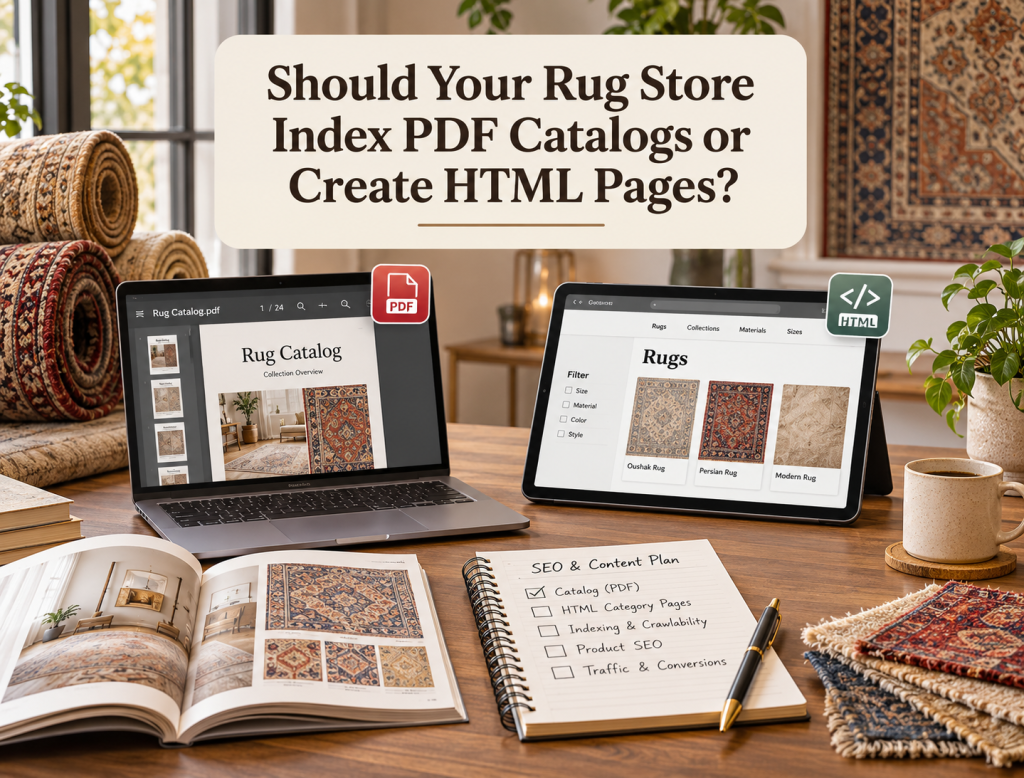
Rug businesses often create PDF catalogs because they are convenient for interior designers, wholesale buyers, showroom customers, and sales teams. A single document can present a collection with product photography, dimensions, materials, item numbers, and pricing in a format that is easy to email or save. The SEO question begins when the same catalog also represents information the business wants people to discover through Google. Should Google index the PDF directly, or should the rug store create HTML pages on the website and treat the PDF as a secondary resource?
Google can index PDF files. Its current documentation lists PDF among the document formats Google Search can process, and Google also supports indexing controls such as X-Robots-Tag for non-HTML files. This means a PDF is not automatically invisible to search engines simply because it is not a normal webpage. However, being indexable does not make a PDF the best primary SEO format for every rug catalog. For most commercially important collections, HTML provides much more control over navigation, internal linking, structured content, conversion paths, updates, and the relationship between collections and individual products.
Start With the Purpose of the Catalog
The correct format depends first on what the catalog is supposed to accomplish. A downloadable PDF designed for interior designers to share with clients has a different purpose from a collection landing page targeting searches such as “handmade Oushak rugs,” “8×10 Persian rugs,” or “luxury wool rugs.”
If the document exists mainly as a sales tool that someone downloads after finding the business, PDF can be extremely useful. The designer can save it, forward it, print selected pages, or review it during a client meeting. If the catalog is supposed to attract new customers from organic search, guide shoppers into current inventory, and support ecommerce discovery, HTML should usually carry the primary SEO responsibility.
The two formats are therefore not mutually exclusive. A strong rug website can maintain HTML collection pages for search and shopping while still offering downloadable PDF catalogs for customers who prefer that format.
Why HTML Usually Works Better for Commercial Rug Search
HTML pages give a rug retailer more control over the complete search and shopping experience. A collection page can contain an optimized title, heading structure, introductory content, product grid, filters, breadcrumbs, internal links, images, FAQs, calls to action, and direct pathways to individual rug listings. The page can also change automatically as inventory changes, which is particularly valuable when rugs are unique and products sell frequently.
A PDF is much more static. Once a collection document is exported and distributed, it may continue circulating long after products have sold, prices have changed, or new inventory has arrived. Updating the PDF on the server does not update copies that designers or customers previously downloaded.
For product discovery, HTML also creates a clearer relationship between the collection and current product pages. Google recommends that important site pages be reachable through crawlable links, and ecommerce navigation should provide paths from categories toward products. A collection page containing normal product links fits that architecture naturally.
PDFs Can Still Rank
It would be incorrect to say that PDF files cannot perform in Google Search. Google explicitly supports indexing PDF content. A well-created PDF containing searchable text, useful information, a descriptive title, and links may appear for relevant queries.
The question is whether that is the result the rug business actually wants.
Imagine someone searches for a handmade rug collection and lands directly inside a 70-page PDF. They may see beautiful products, but they may not have the website navigation, current stock status, live pricing, related products, account functionality, wishlist, showroom appointment option, or other tools available on the normal website.
A search ranking is valuable only when the landing experience supports the user’s next step. For commercially important rug queries, HTML generally creates a stronger bridge from search discovery to product exploration.
HTML Is Easier to Keep Current
Rug inventory changes quickly, particularly for antique, vintage, handmade, and one-of-a-kind products. A PDF catalog created in January may contain dozens of unavailable items by March.
An HTML collection can respond dynamically to inventory changes. Sold items can be removed from active grids, marked sold, moved into an archive, or replaced with newly available products according to the store’s strategy.
This makes HTML particularly suitable for unique inventory, where the availability of individual products may change permanently after one sale.
The PDF can still function as a seasonal or collection reference, but it should not necessarily be the only online representation of inventory customers expect to buy today.
Internal Linking Is Much More Flexible With HTML
A rug collection rarely exists in isolation. A Persian rug collection might logically connect with pages about rug sizes, materials, weaving traditions, care, room selection, individual products, and related collections.
HTML allows those relationships to be built naturally through internal linking. Search engines and users can move between relevant pages without leaving the normal website environment.
PDFs can contain hyperlinks, but they are less flexible as part of a continuously evolving website architecture. Changing internal relationships may require editing, exporting, replacing, and redistributing the document.
For SEO clusters where several pages support the same commercial topic, HTML is usually easier to maintain.
PDFs Can Create Duplicate Content Decisions
A rug business may publish the same collection description, specifications, and editorial content in both HTML and PDF.
Google can discover both formats, which can create a canonicalization decision when they substantially duplicate each other. Google supports canonical signals for non-HTML documents through the Link HTTP response header, including PDFs.
For example, if the HTML collection page should be the primary search result, the server can potentially send an HTTP canonical header from the PDF toward the HTML page when the two contain substantially equivalent content.
The important point is to decide intentionally which format should represent the content in search rather than publishing duplicate versions and leaving the signals inconsistent.
When You May Want the PDF Indexed
There are situations where indexing the PDF itself can make sense.
A historical rug catalog, research publication, downloadable market report, technical specification document, exhibition catalog, or educational resource may provide standalone value that is different from a normal commercial webpage.
In those situations, the PDF can be treated as an independent resource.
A rug retailer might publish an annual designer collection catalog containing editorial photography, design commentary, materials, and collection information that users specifically want to download. If the PDF offers substantial standalone value and the business is comfortable with Google sending users directly to it, indexing may be reasonable.
The decision should come from the intended search experience rather than the assumption that every file on the website should be indexed.
When You May Want the PDF Out of Search
Some PDFs exist purely for existing customers or sales operations and do not need independent organic visibility.
Examples might include price sheets, outdated catalogs, printable versions of webpages, internal specifications accidentally stored publicly, or PDFs that duplicate stronger HTML pages without adding search value.
For non-HTML resources such as PDFs, Google supports the X-Robots-Tag HTTP response header. A server can send a noindex directive through that header when the file should remain accessible but should not appear in Google Search.
Do not rely on robots.txt alone when the actual objective is preventing the PDF from appearing in search. Google warns that a blocked URL can sometimes still appear in results when Google discovers it through links, even if the crawler cannot fetch the content.
Avoid Image-Only PDF Catalogs
A beautiful catalog can still be weak for search if every page is essentially a flattened image with no accessible text layer.
Google can index supported document formats, but search engines need meaningful content to understand what the document contains. A catalog should therefore preserve actual text wherever practical rather than converting product names, materials, dimensions, and descriptions into images.
This also benefits users because searchable and selectable text makes the document easier to navigate and use.
If the original design system exports text correctly, verify the finished PDF before publication instead of assuming the file retained all content in machine-readable form.
Create HTML Pages for Collections With Search Demand
When a rug category has meaningful customer demand, create a dedicated HTML page rather than expecting a downloadable catalog to perform the entire SEO job.
Examples might include commercially meaningful collections organized around:
• Rug style
• Origin
• Size
• Material
• Shape
• Room
• Construction
• Designer collection
The exact categories should come from inventory and search intent rather than creating hundreds of pages simply because filters exist.
A strong keyword strategy can help determine which collections deserve standalone HTML landing pages and which can remain filters or supporting catalog sections.
Use the PDF as a Conversion Asset
The PDF can still play an important role on the HTML page.
For example, the page might allow visitors to:
Download the full collection
Download trade catalog
View printable catalog
Share collection PDF
This creates a useful combination. Search visitors enter through an HTML page designed for discovery and current inventory, while designers and wholesale buyers can download the formatted resource they need for offline use.
The HTML page becomes the living digital hub. The PDF becomes the portable sales asset.
Link PDFs From Relevant HTML Pages
If the PDF should be discoverable, link it from appropriate pages with descriptive anchor text rather than leaving it hidden inside an uploads directory.
A link such as “Download the 2026 Designer Collection catalog” gives both users and crawlers much clearer context than “Click here.”
The HTML page can also explain what the customer will find inside the document, such as collection photography, specifications, colors, available constructions, or trade information.
This makes the PDF feel like part of the site experience rather than an isolated file.
Think About Mobile Users
Large rug catalogs can become difficult to use on mobile when they contain high-resolution photography, small text, large file sizes, or complex multi-column layouts.
An HTML page can adapt more naturally to different screen sizes and allow customers to move directly into product pages.
Before making a PDF central to the customer journey, test it on a typical phone. Check loading time, text readability, navigation, links, and the difficulty of moving between the document and the ecommerce website.
A catalog designed beautifully for print does not automatically create a good mobile shopping experience.
Use Search Console to See What Google Is Already Indexing
Before changing the strategy, inspect existing PDF and HTML URLs in Google Search Console.
You may discover that some PDF catalogs already receive impressions or backlinks. Those files should not be removed casually simply because HTML is generally preferable for ecommerce.
Instead, determine what the PDF currently contributes and whether the HTML page can preserve or improve that value.
If an established PDF should be replaced by a stronger HTML resource, use the appropriate canonical or redirect strategy according to whether the original file will remain accessible.
A broader SEO audit should evaluate the actual search performance rather than making the format decision in isolation.
Final Thoughts
Google can index PDF files, so the decision between PDF and HTML is not about whether one format is visible to search engines and the other is not. The more important question is which format provides the better primary experience for the content and search intent.
For commercial rug collections, HTML should usually carry the main SEO responsibility because it is easier to update, internally link, connect with products, optimize for mobile, and integrate with the rest of the shopping experience.
PDF catalogs remain highly useful for designers, trade buyers, printable collections, historical material, and downloadable sales resources. When the PDF substantially duplicates an HTML page, decide which version should be primary and make the technical signals consistent. When a PDF has no reason to appear independently in search, use appropriate indexing controls rather than assuming robots.txt will remove it.
The strongest strategy is often not PDF versus HTML. It is HTML for discovery and conversion, with PDF available as a useful supporting format where customers genuinely need it.
FAQs
Can Google index PDF catalogs?
Yes. Google supports indexing PDF content along with several other document formats.
Are HTML pages better than PDFs for rug ecommerce SEO?
Usually, for commercial collections. HTML provides more control over navigation, internal linking, inventory updates, mobile experience, and pathways to individual products.
Can I keep both an HTML page and a PDF catalog?
Yes. The HTML page can serve as the primary collection experience while the PDF remains available as a downloadable resource.
How can I stop a PDF from appearing in Google?
Google supports X-Robots-Tag: noindex for non-HTML resources such as PDF files.
Can a PDF use a canonical URL?
Yes. Google supports canonical signals for non-HTML documents through the HTTP Link header.