


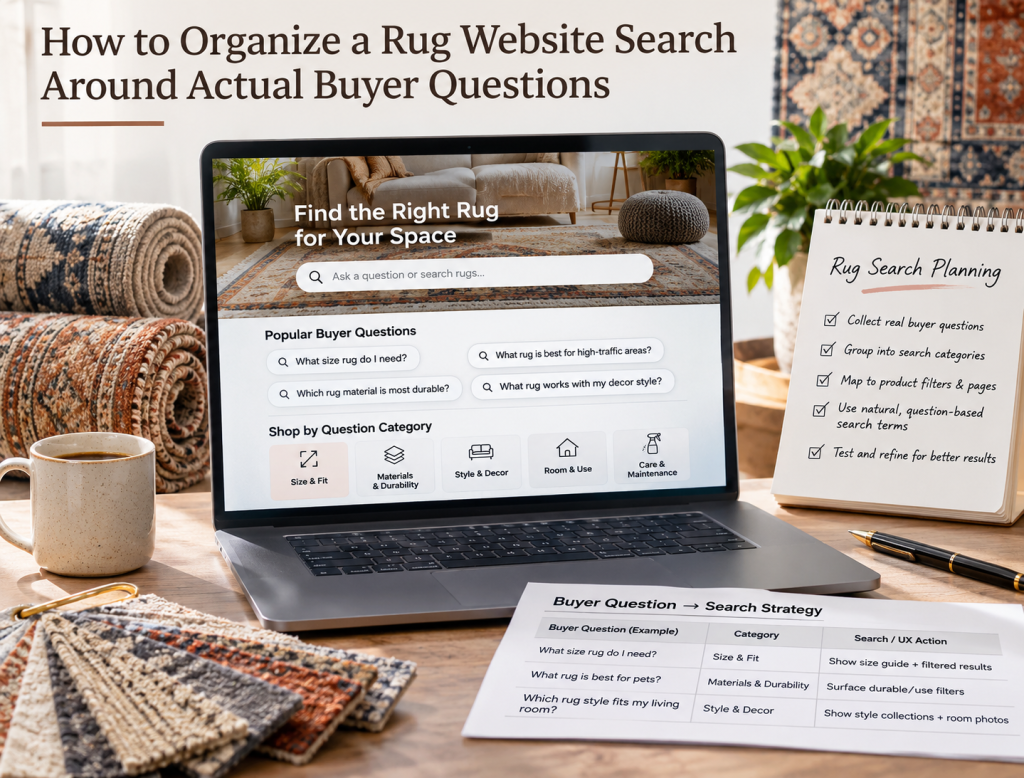
A large rug website can contain thousands of products and still make shopping difficult if the search experience is organized around internal inventory terminology instead of the questions customers actually have. A shopper rarely arrives thinking, “Show me SKU group 17 with construction code HNK-04.” They are more likely to ask, “What size rug works under a king bed?”, “Do you have a washable rug in neutral colors?”, “Which rugs work in a high-traffic living room?”, or “Can I find a handmade rug under $2,000?” A useful rug website search system should translate those natural buying questions into filters, categories, searchable attributes, and helpful results.
This does not mean replacing structured ecommerce search with a conversational chatbot. It means designing the catalog around the way people think. Search, filters, categories, product data, and supporting content should work together so that someone who knows exactly what they want and someone who is still figuring it out can both move toward a useful shortlist.
Start With the Questions Customers Ask in the Showroom
The best search structure often already exists inside sales conversations.
Ask showroom staff what customers say before they begin looking at rugs. Typical questions may include:
- “What size do I need?”
- “Do you have anything in blue and cream?”
- “Which rugs are easiest to maintain?”
- “Can I find something for a dining room?”
- “Do you have handmade rugs in this price range?”
- “Which rugs work with pets?”
- “Can you show me something similar but less traditional?”
- These questions reveal the categories and attributes that matter to real buyers.
A rug website should reflect that language instead of expecting customers to understand the retailer’s internal catalog structure.
Organize Search Around Size Questions
Size is one of the most important rug-shopping considerations, but shoppers do not always know the exact dimensions they need.
Some will search directly for:
- 8×10 rugs
- 9×12 rugs
- 6×9 rugs
- Others will think in room terms:
- Rug for king bed
- Rug for six-seat dining table
- Large rug for sectional
The search experience should support both approaches.
Structured size filters can handle customers who already know the dimensions. Educational links and room-based collections can help those who are still deciding.
The important point is that size should not exist only as a technical product specification hidden inside individual product pages.
Let Buyers Search by Room
Many customers begin with where the rug will be used rather than what the rug is called.
Useful room-based paths might include:
Living Room Rugs
Dining Room Rugs
Bedroom Rugs
Entryway Rugs
Office Rugs
Nursery Rugs
These collections should not simply repeat the same inventory with generic copy. The merchandising logic should reflect what usually works in that space.
For example, dining-room shoppers may care about size relative to the table, chair movement, and cleanability. Entryway shoppers may prioritize durability and lower pile.
Room-based navigation connects product discovery with the buying problem.
Color Search Should Recognize Real Language
Color filtering sounds simple until customers begin using different words for similar tones.
One shopper may search “beige,” another “cream,” another “ivory,” and another “neutral.”
A rigid search engine that recognizes only the exact catalog term can return poor results even when suitable rugs exist.
The site can improve this by mapping common synonyms and related terms to the appropriate product attributes.
For example:
Ivory → cream, off-white
Navy → dark blue
Rust → terracotta, burnt orange
Neutral → beige, cream, taupe, soft gray
The mapping should reflect the actual inventory rather than becoming so broad that every search returns unrelated products.
Style Search Should Use Customer-Friendly Terms
Rug professionals may distinguish among many regional, construction, and design traditions. Customers may use broader visual terms such as traditional, modern, geometric, floral, minimalist, vintage, distressed, or transitional.
Both forms of classification can be useful.
A shopper who knows Persian Heriz should be able to search directly for it.
A shopper who only knows that they want “something traditional with red and blue” should also be able to reach useful results.
This is where good keyword strategy can inform ecommerce architecture. The language customers use in search engines can also reveal how they are likely to search inside the website.
Material Should Connect With Buyer Concerns
Customers do not always search for material because they are interested in fiber terminology. Often, material is a proxy for another concern.
A shopper searching for wool may care about durability.
Someone searching washable rugs may care about children or pets.
A silk rug buyer may be interested in appearance, craftsmanship, or luxury.
The search system should still provide factual material filters such as wool, silk, cotton, jute, and synthetic fibers, but educational support can help shoppers understand why material matters.
This is particularly useful when a customer asks a practical question but does not yet know which material solves it.
Make Price Filtering Useful
Price is one of the clearest buyer questions:
“What can I get within my budget?”
The search experience should make that easy to answer.
Useful approaches include price ranges that reflect the store’s actual inventory distribution rather than arbitrary equal intervals. If most rugs fall between $1,000 and $5,000, ranges should make meaningful distinctions within that market.
The site may also support searches such as:
Rugs under $1,000
Rugs under $2,500
Luxury rugs
Investment-level antique rugs
Do not use price language that implies quality conclusions the business cannot support. The goal is helping shoppers narrow the catalog according to what they are prepared to spend.
Handle One-of-a-Kind Availability Properly
Search becomes more complicated when many rugs are unique.
A customer may save a search or revisit a product only to discover that it has sold.
The search system should clearly distinguish:
Available
Reserved
Sold
when those statuses are relevant.
For current shopping results, available inventory should normally receive priority.
Sold rugs can still be useful for discovery, inspiration, or SEO when the store intentionally keeps them online, but they should not dominate searches where the customer is trying to buy now.
For unique inventory, current availability needs to be tightly connected to search and filter behavior.
Use Search Synonyms for Rug Terminology
Rug terminology varies widely between customers, dealers, regions, and historical conventions.
A shopper may search:
- Oriental rug
- Persian rug
- handmade rug
- hand-knotted rug
- vintage rug
Those terms do not mean exactly the same thing, but the search system should understand enough relationships to avoid returning zero results unnecessarily.
Synonym rules should be created carefully because overly aggressive mappings can reduce relevance.
The objective is to help the shopper find likely matches while preserving meaningful distinctions between product types.
Support Natural Questions Without Requiring Exact Product Terms
A stronger search experience can recognize common question structures.
For example:
rug for pets
rug for dining table
easy clean rug
neutral rug for bedroom
large blue wool rug
The system can map those phrases toward attributes such as room, size, material, color, pile, or cleaning characteristics.
This does not require a fully conversational AI system. Good search configuration, tagging, synonyms, product attributes, and curated landing pages can solve many of these questions already.
Use Filters That Match the Buying Process
A rug catalog may contain dozens of possible attributes, but not every attribute deserves to become a prominent filter.
Prioritize the information customers genuinely use to narrow decisions.
Common high-value filters might include:
• Size
• Color
• Style
• Material
• Shape
• Price
• Construction
• Origin
• Availability
Additional filters can be introduced where the inventory and customer behavior support them.
Too many filters can make the interface feel like a database rather than a shopping experience.
The goal is not exposing every field in the product management system.
Avoid Zero-Result Searches Where Possible
A zero-result page is one of the clearest signals that the search experience failed to interpret the customer’s request.
When no exact results exist, the website can still help.
It might show:
• Related terms
• Similar categories
• Alternative colors
• Nearby sizes
• Recently sold examples
• A consultation option
For example, a search for “8×11 Oushak” might return no exact products, while the store has several 8×10 and 9×12 Oushak rugs.
Showing relevant alternatives is more useful than a blank page.
Use Search Data to Improve the Catalog
Internal search queries are valuable because they reveal what visitors want after they have already reached the website.
Review searches regularly and identify:
• Popular terms
• Searches with no results
• Misspellings
• Unexpected synonyms
• Frequently combined attributes
• Products customers search for but cannot find
If dozens of people search “round Persian rug” and the website returns nothing even though several round rugs exist, the catalog data may be incomplete.
If customers frequently search for a category the store does not carry, that information may be useful for merchandising decisions as well as website optimization.
Product Data Needs to Support Search
Search quality cannot be better than the product information feeding it.
If product records use inconsistent colors, missing materials, incomplete dimensions, or vague style labels, the search system cannot reliably match buyer questions.
For example, one rug might be tagged “blue,” another “navy,” another “dark blue,” and another not tagged with color at all despite clearly being blue.
A strong ecommerce catalog needs standardized product attributes behind the scenes.
Good product descriptions help customers and search engines, but structured product data is equally important for onsite discovery.
Search Results Should Be Easy to Refine
The initial search does not need to produce the perfect rug immediately.
It should produce a useful set of results that the customer can refine.
Someone searching “Persian rug” might then narrow by:
8×10
Blue
Wool
Under $4,000
This progressive narrowing is often more realistic than expecting the shopper to describe every requirement in the first query.
The interface should therefore make active filters visible and easy to remove.
Customers should never wonder why certain rugs disappeared from the results.
Use Search to Support Showroom Sales
Onsite search can also help customers prepare for a physical showroom visit.
A shopper might shortlist five rugs online, save them, and then request an appointment to see those specific pieces.
The showroom team can prepare the rugs before the customer arrives.
For businesses focused on showroom visits, this connects ecommerce search with in-person sales rather than treating online browsing and showroom shopping as separate experiences.
The same principle can support virtual consultations.
A customer can search, save options, then review them live with a salesperson.
Do Not Let Search Replace Good Navigation
Site search is important, but it should not become the only way customers can find products.
Some shoppers prefer browsing categories, collections, room types, styles, or editorial content.
Good navigation helps people who are not yet sure what to type into a search box.
Search works best as one part of the product discovery system alongside collections, filters, recommendations, wishlists, and helpful content.
A shopper should be able to discover a rug even if they do not know the vocabulary the retailer uses.
Measure Search Success Beyond Search Volume
A large number of searches does not automatically mean the search feature is successful.
Track what happens after the search.
Useful measures include:
• Result click-through rate
• Product views after search
• Wishlist additions
• Consultation requests
• Cart additions
• Purchases
• Searches with no results
• Search abandonment
If one common query produces frequent searches but very few product clicks, the results may be poorly matched.
A broader rug marketing strategy can use this data to improve both ecommerce merchandising and future content topics.
Final Thoughts
A useful rug website search system should be organized around how customers shop rather than how the inventory database is structured. Buyers think in combinations of room, size, color, style, material, price, availability, and practical needs. The website should help translate those questions into relevant products without requiring the customer to know expert rug terminology.
Start with the questions customers already ask salespeople. Build reliable product attributes around those questions, add sensible synonyms, prioritize the filters people actually use, and monitor searches that return poor or empty results.
The strongest search experience does not necessarily use the most advanced technology. It uses good catalog data, clear language, useful filters, and a structure that reflects real buying behavior.
When a customer can move naturally from “I need something for my dining room” to a manageable shortlist of rugs that actually fit the space, style, and budget, search becomes more than a utility. It becomes part of the sales process.
FAQs
What should a rug website search let customers filter by?
Common useful filters include size, color, style, material, shape, price, construction, origin, and current availability.
Should rug search support room-based terms?
Yes. Many customers think in terms of living room, dining room, bedroom, entryway, or office rather than technical rug classifications.
How should a website handle searches that return no rugs?
Show useful alternatives such as related sizes, similar colors, nearby styles, or a consultation option instead of displaying only an empty result page.
Should sold rugs appear in website search?
They can when the store intentionally uses sold inventory for inspiration or reference, but available inventory should normally be prioritized when the customer is actively shopping.
How can internal search data improve SEO and merchandising?
Search queries reveal the language, attributes, styles, and products customers are actively looking for, which can help improve product data, collections, content, and inventory decisions.