


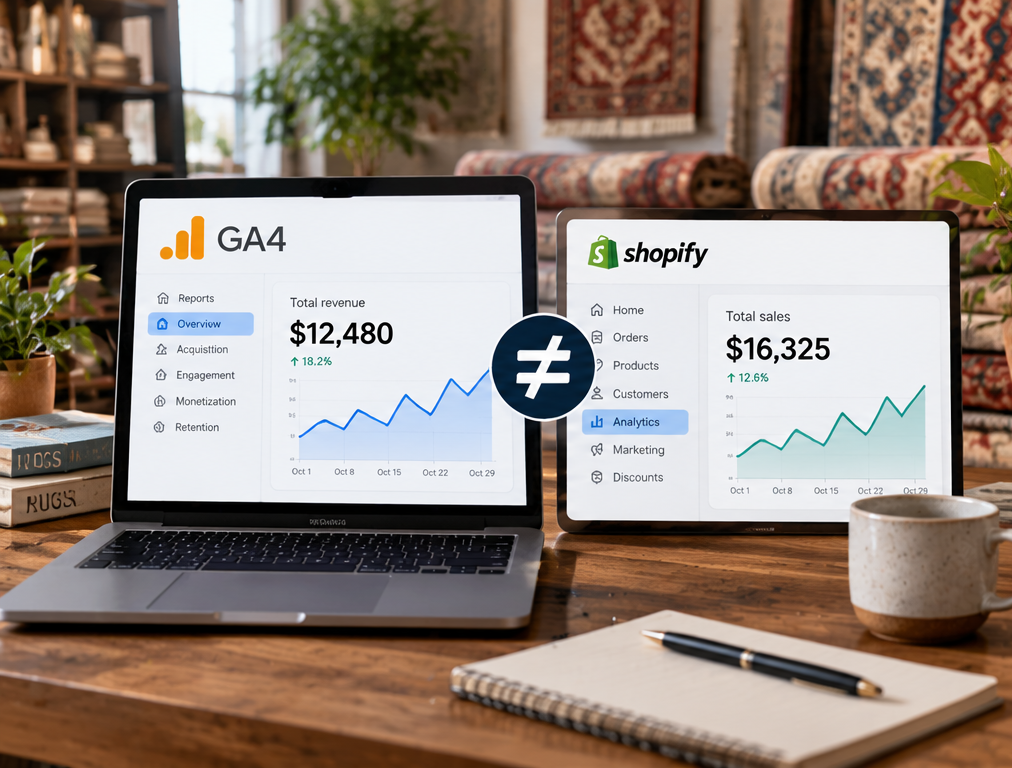
A rug retailer may open its ecommerce platform and see $86,000 in sales for the month, then open Google Analytics 4 and find only $78,500 in ecommerce revenue. The immediate reaction is often to assume that GA4 is broken, the ecommerce platform is wrong, or a recent tracking change caused data loss. Sometimes there is a genuine technical problem, but a difference between the two systems does not automatically mean that either report is incorrect. GA4 and the store’s sales system are designed for different purposes, may use different definitions of revenue, and may receive transaction information at different points in the purchasing process.
The ecommerce platform should normally be treated as the primary source for actual orders, payments, refunds, and accounting-related sales figures because it is the system processing or recording the transactions. GA4 is primarily a measurement and marketing analysis platform. It records ecommerce activity when the required events and parameters reach Google Analytics, which means tracking configuration, browser behavior, consent choices, transaction IDs, currencies, refunds, and event timing can all influence the numbers. The useful question is therefore not simply, “Why does GA4 not equal the sales report?” The better question is, “Which transactions or revenue components explain the difference?”
First Make Sure You Are Comparing the Same Revenue Metric
GA4 includes several revenue-related metrics, and they do not all mean exactly the same thing. Google defines Total revenue as revenue from purchases, in-app purchases, subscriptions, and advertising, minus refunds. Purchase revenue, meanwhile, represents revenue generated through ecommerce and in-app purchases. Item revenue is narrower and is calculated from product price multiplied by quantity, excluding tax and shipping.
This distinction can create a mismatch before any technical problem exists. A rug-store sales report may show gross order revenue including shipping and tax, while the GA4 report you are viewing may focus on item-level revenue that excludes those amounts. Another ecommerce report may subtract discounts, returns, or refunds differently. Before comparing two totals, write down exactly what each number includes.
For example, a $4,000 handmade rug order might include $4,000 of merchandise, $200 of shipping, and $320 of tax. If one report presents the full $4,520 collected while another metric is designed around product revenue, the systems are not measuring the same figure. The difference does not disappear by changing tracking because it comes from the definition being compared.
Check the Value Sent With the Purchase Event
GA4 ecommerce reporting depends on the purchase event being implemented correctly. Google recommends sending a unique transaction_id, value, currency, and the purchased items, with optional parameters such as tax, shipping, and coupon information. For the purchase event, Google defines value as the sum of item price multiplied by quantity and recommends that shipping and tax not be included in that value because those amounts have their own parameters.
A common implementation problem occurs when the website sends the wrong value. The ecommerce platform may record a $2,750 order, while the data layer sends $2,500 because a product option was not included, or it may send $3,020 because tax and shipping were incorrectly added to a value that the reporting team expects to represent merchandise revenue.
For a large rug website, test several real order types rather than assuming one successful transaction proves the setup is correct. Test one-rug orders, multiple-rug orders, discounts, free shipping, paid shipping, and any unusual product configuration that changes the final price.
Missing Purchase Events Can Make GA4 Revenue Too Low
The store can successfully complete an order even when the GA4 purchase event never reaches Google. If the customer pays successfully but closes the page before the tracking code runs, JavaScript fails, consent prevents Analytics collection, a browser blocks tracking, or the confirmation-page implementation breaks, the order may exist perfectly inside WooCommerce, Shopify, or another ecommerce platform while GA4 never records it.
This means you should not expect browser-based analytics to function as an accounting ledger. GA4 measures the transactions it receives, whereas the commerce platform records the actual orders processed by the store.
If the gap appears unusually large, calculate how many ecommerce orders the store recorded and compare that number with GA4 purchases. A revenue difference caused by several completely missing purchases looks very different from a situation where GA4 recorded the correct number of transactions but assigned slightly incorrect values to each one.
Duplicate Purchases Can Make GA4 Revenue Too High
The opposite problem can also happen. A purchase event may fire more than once if the customer reloads an order confirmation page, returns to it later, or multiple tracking implementations send the same transaction.
GA4 uses the transaction_id parameter to help prevent duplicate web purchase events. Google states that purchase events sharing the same transaction ID can be deduplicated, and each actual order should therefore use its own unique ID. Reusing the same ID for different purchases can cause undercounting, while failing to send a proper transaction ID can make duplicate handling less reliable.
A strong audit should therefore compare ecommerce order IDs with GA4 transaction IDs. If one order appears several times with different IDs, the problem is usually in the tracking implementation. If several genuine orders are sent with the same static transaction ID, GA4 may treat them as duplicates and report less revenue than the sales platform.
Refunds Can Create a Large Difference
Returns are particularly important for rug retailers because a single returned handmade or antique rug can represent a large amount of revenue. A store may record a $7,500 sale and later refund it, but GA4 will not automatically know about the refund unless the appropriate refund information is sent.
Google supports a refund ecommerce event that references the original transaction_id, and item-level information can also be provided when only part of an order is refunded.
If your ecommerce platform automatically adjusts its sales reports after returns while GA4 receives purchases but not refunds, GA4 may eventually show more revenue than the store’s net sales report. Conversely, comparing GA4 Total revenue, which can account for reported refunds, against a store report showing gross sales before refunds can make GA4 appear lower.
For a rug business with expensive products, always include refunds in a revenue reconciliation rather than focusing only on successful purchases.
Cancellations and Failed Orders May Be Treated Differently
Ecommerce platforms can contain several order statuses, including paid, processing, completed, pending, cancelled, failed, partially refunded, and fully refunded. The revenue report inside the commerce platform may include or exclude those statuses according to its configuration.
GA4 does not understand the store’s entire order lifecycle unless that information is deliberately sent. If a purchase event fires before the payment result is fully confirmed, GA4 may record a transaction that later becomes cancelled or failed.
The cleanest implementation usually records a purchase when the business has enough confidence that a genuine transaction occurred. The exact timing depends on the ecommerce and payment architecture, so the implementation should be tested with both successful and failed payments.
Check Whether Discounts Are Included Correctly
Discounts can also create a difference between the order system and GA4. If a rug normally costs $3,000 but a promotion reduces it to $2,500, the purchase data should represent what the customer actually paid for the merchandise according to the site’s ecommerce implementation.
Problems appear when the website passes the full list price in one parameter while the ecommerce platform reports the discounted amount. Coupon and discount information may also be sent incorrectly at the item or event level.
This becomes especially important during seasonal sales because a small configuration error can affect hundreds of transactions at once. If the GA4 mismatch becomes much larger during promotions, discount implementation should move near the top of the troubleshooting list.
Compare the Same Date and Time Zone
Two reports covering “October 1 to October 31” may still produce different totals if the systems use different time zones or assign the transaction to different dates.
Imagine a customer completes a purchase at 11:30 PM in one reporting time zone while another system records it after midnight in another. The transaction moves from one day or month to the next depending on the system being viewed.
For normal daily analysis, this may create only a small variation. Around month-end, Black Friday, holiday periods, or other high-volume sales days, it can create a noticeable reporting difference.
Before investigating individual transactions, make sure GA4 and the ecommerce report use comparable date ranges and understand which time zone controls each report.
Offline and Showroom Sales Will Not Automatically Appear in GA4
A rug retailer may sell through both ecommerce and a physical showroom. If the store’s sales report combines all revenue from point-of-sale transactions, telephone orders, designer invoices, and online purchases, it should not be expected to match standard website ecommerce revenue in GA4.
GA4 can only report data it receives.
A designer who visits the showroom and purchases a $12,000 rug directly through the point-of-sale system may never trigger a website purchase event. The sale is real, but it belongs to a different measurement path.
This distinction is especially important for businesses using the website to generate showroom visits. Website-assisted sales may be commercially valuable even when the final revenue appears only in the store’s CRM, POS, or accounting system.
Attribution Can Make Channel Revenue Look Different
Sometimes the overall GA4 revenue is reasonably accurate, but the problem appears when marketers compare revenue by channel.
The ecommerce platform may know that a $5,000 order occurred, but it may not know whether the customer originally arrived through Google Ads, organic search, email, direct traffic, or social media. GA4 attempts to connect user activity and conversions with acquisition data, so channel-level reports depend on attribution and session information.
This means a marketing report saying paid search generated a particular amount of revenue is answering a different question from the ecommerce platform’s total sales report.
For evaluating marketing ROI, keep the distinction between accounting revenue and attributed marketing revenue clear. The first tells you how much the business sold. The second attempts to explain which marketing interactions contributed to those sales.
Browser Consent and Privacy Choices Can Reduce Measured Revenue
Analytics measurement is affected by the technical and privacy environment in which a customer browses. Consent settings, browser restrictions, ad blockers, JavaScript failures, and other conditions can prevent or alter data collection even when checkout itself continues working normally.
A successful purchase should never depend on Analytics running.
That is good for customers and business continuity, but it also means GA4 can contain less transaction data than the underlying sales database.
The important objective is not necessarily forcing the figures to become identical. It is making the tracking implementation reliable enough that the remaining difference is understood and does not distort marketing decisions.
Item Revenue and Purchase Revenue Can Tell Different Stories
GA4 separates event-level and item-level ecommerce information. Google explains that event-scoped metrics and item-scoped metrics are different and should be used with compatible dimensions. Item revenue, for example, comes from item price and quantity, while event-level revenue metrics depend on purchase-event values.
This matters when a marketer builds a custom Exploration and concludes that GA4 has lost revenue because the total differs from another standard report. If item-level dimensions are combined with inappropriate event-level metrics, the comparison may not represent the same ecommerce scope.
Before escalating the issue to developers, confirm that the report itself is configured correctly.
Test Revenue With Individual Order IDs
The fastest way to investigate a serious mismatch is not to compare two monthly totals repeatedly. Start with individual transactions.
Select ten or twenty orders from the store and create a reconciliation table:
| Check | Example |
|---|---|
| Store order ID | 18472 |
| Store merchandise total | $3,200 |
| Shipping | $150 |
| Tax | $268 |
| Discount | $200 |
| Final store total | $3,418 |
| GA4 transaction ID | 18472 |
| GA4 purchase value | $3,200 |
| GA4 purchase recorded | Yes |
| Refund recorded | No |
This approach usually reveals the pattern quickly. If GA4 is missing complete transactions, investigate event firing and consent. If every transaction is present but the values differ, inspect the data layer and revenue definition. If refunded transactions remain unchanged, fix the refund workflow.
For stores running Google Ads, this reconciliation is particularly important because inaccurate purchase values can affect campaign reporting and value-based optimization as well as GA4 dashboards.
Decide Which System Is the Source of Truth
The ecommerce platform, payment system, POS, CRM, GA4, and advertising platforms should not all be expected to function as identical financial reports.
For completed sales and accounting, use the business’s transaction system as the source of truth.
Use GA4 to understand customer behavior, acquisition, ecommerce interactions, and marketing performance.
The numbers should be reasonably reconcilable, but their purpose is different.
This distinction makes reporting much easier because a small known measurement gap no longer causes unnecessary alarm, while a large unexplained change still triggers proper investigation.
Monitor the Difference as a Percentage
After tracking has been audited, monitor the difference between store ecommerce revenue and GA4 revenue regularly.
A consistent small difference may simply reflect the measurement environment and the reporting definitions being used. A sudden increase in the gap is more concerning because it may indicate a broken purchase tag, consent change, checkout update, payment integration issue, or other technical problem.
For example, if GA4 historically captures revenue very close to the store’s online order totals and suddenly begins capturing far less after a checkout update, investigate immediately.
Monitoring the variance over time can therefore be more useful than expecting perfect equality every day.
Final Thoughts
A GA4 ecommerce revenue mismatch does not automatically mean that Google Analytics or the rug store’s sales report is wrong. The two systems may be measuring different definitions of revenue, and GA4 depends on ecommerce events reaching the platform correctly.
Begin by confirming that you are comparing the same date range and the same type of revenue. Then inspect purchase values, transaction IDs, tax, shipping, discounts, refunds, order statuses, currencies, offline sales, and individual transactions. Make sure the purchase event is sending a unique transaction ID, accurate currency, correct item information, and the intended purchase value. Google specifically recommends these parameters for meaningful ecommerce measurement.
For a rug retailer, the ecommerce or financial system should remain the authority for actual business revenue. GA4 should provide the marketing and customer-behavior layer that helps explain how those sales happened.
When the difference between the systems is documented and regularly monitored, the business can stop arguing about which dashboard has the “right” number and start using each platform for the job it is designed to do.
FAQs
Should GA4 revenue exactly match my ecommerce platform?
Not necessarily. Differences can result from revenue definitions, tax and shipping treatment, refunds, tracking loss, offline sales, time zones, or other measurement conditions.
Does GA4 purchase value include shipping and tax?
Google recommends setting purchase value to the sum of item price multiplied by quantity and sending shipping and tax separately.
Can GA4 count the same rug purchase twice?
It can receive duplicate purchase events, but a correct unique transaction_id helps GA4 deduplicate repeated web purchases using the same transaction ID.
Why would my store revenue be higher than GA4?
Possible reasons include missing purchase events, consent or tracking limitations, offline or showroom sales, incorrect purchase values, or differences in which revenue components are included.
Which system should I use as the final sales number?
Use the business’s ecommerce, POS, payment, or accounting system as the source of truth for actual transactions. Use GA4 primarily for customer behavior, acquisition, and marketing analysis.