


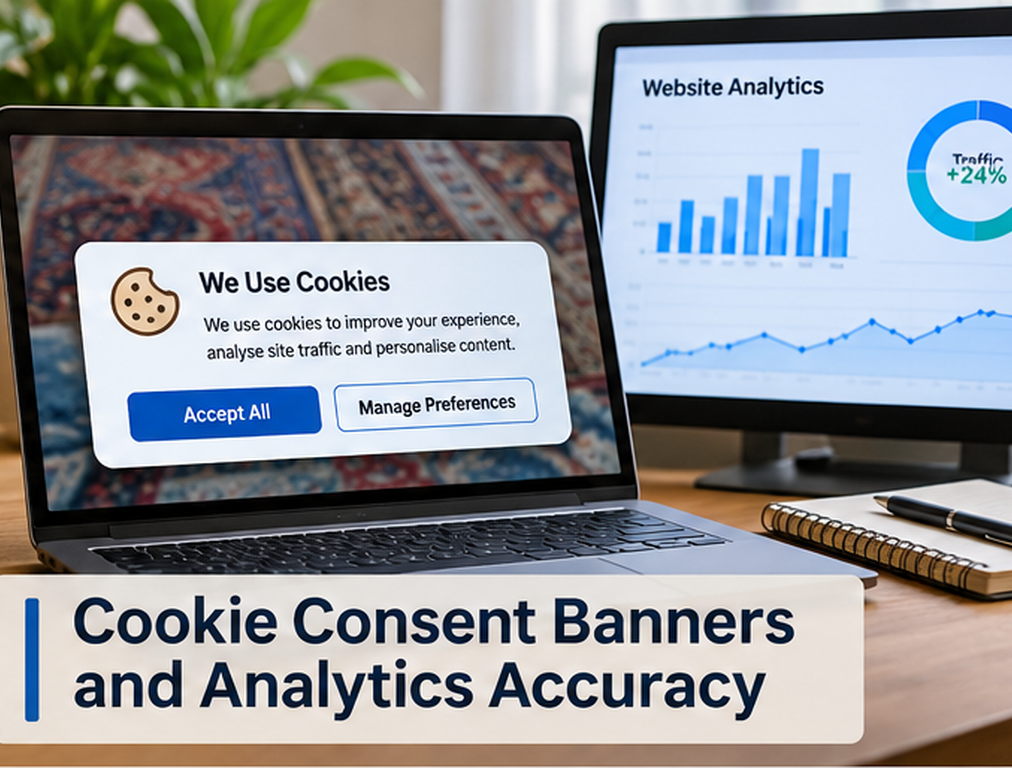
When a rug ecommerce site adds a cookie consent banner, we expect some analytics numbers to change. That does not automatically mean GA4 is broken. If a visitor declines analytics storage and the implementation respects that choice, some previously observable user or session information may no longer be available in the same way. The real problem begins when the business cannot distinguish expected data loss from implementation mistakes, so every difference in sessions, conversions, revenue, source attribution, or advertising reports is blamed on “the cookie banner.”
We separate the issue into two parts. First, the consent system needs to behave according to the business’s legal and privacy requirements, which can vary by jurisdiction and should be reviewed appropriately. Second, the measurement implementation needs to communicate the resulting consent state accurately to analytics and advertising tools. Google Consent Mode is designed for the second problem. Google explicitly says Consent Mode does not itself provide a consent banner or determine whether consent is legally required. It allows Google tags to adjust behavior according to the consent choices received from the site’s consent solution.
We Do Not Expect Analytics to Count Everyone Identically After Consent
Before a consent system is introduced, a website may have been collecting analytics identifiers from nearly every visitor. After consent controls are implemented, users who decline may no longer be observed in the same way.
That difference can reduce directly observed user, session, source, and conversion information. Google acknowledges this explicitly in its GA4 documentation, explaining that websites using consent banners can have missing data for users who decline analytics cookies. Behavioral modeling may be used in eligible properties to estimate some unobservable activity based on similar users who have granted consent.
We therefore do not compare pre-consent and post-consent GA4 totals as though the measurement conditions remained identical.
If reported traffic drops fifteen percent on the date a banner goes live, we first investigate whether the change reflects consent choices, tag configuration, or both before concluding that actual website demand declined fifteen percent.
We Separate Basic Consent Mode From Advanced Consent Mode
Google currently describes two approaches to Consent Mode: basic and advanced.
In basic consent mode, Google tags are prevented from loading until the visitor interacts with the consent banner and grants the relevant consent. If the user does not consent, no data is transmitted to Google through those blocked tags. Google’s documentation explains that modeling in this setup is more limited.
In advanced consent mode, Google tags load with consent defaults, commonly denied where configured that way, and adjust their behavior after the user’s choice. When relevant storage is denied, Google can receive cookieless measurements and consent-state information that may support more detailed modeling. Full measurement behavior applies only when the appropriate consent is granted.
We do not describe advanced mode as a way to bypass consent. Its purpose is to modify tag behavior according to consent state while preserving some measurement capability within that framework.
A Cookie Banner Does Not Automatically Configure GA4 Correctly
One of the most common mistakes we see is assuming that installing a Consent Management Platform means every analytics and advertising tag now understands the visitor’s choice.
The banner is the interface through which the visitor communicates a preference. That preference still needs to reach the relevant tags correctly.
Google’s guidance says a Consent Mode implementation needs to obtain the user’s choice, communicate the consent state to Google, and ensure Google and third-party tags behave according to that state.
If the banner says “Reject All” but GA4 continues writing analytics cookies as though consent were granted, the system is not behaving consistently. If the visitor accepts analytics but the consent update never reaches Google Tag Manager, the opposite problem occurs and legitimate analytics data can be lost.
We Verify the Default Consent State Before Any Interaction
When a page opens, consent behavior begins before the visitor clicks anything.
We therefore check what consent state exists at page load. If the implementation is designed to default relevant consent types to denied in a particular region, those defaults need to be set before tags perform actions that depend on consent.
Google’s implementation guidance explicitly instructs sites to set the default consent state before the user grants consent and then update that state after the visitor interacts with the consent controls.
A late default can produce exactly the kind of reporting and privacy inconsistency the consent system was meant to prevent.
We Test Accept, Reject, and Partial Consent Separately
A banner can work correctly when we click “Accept All” and still fail in every other state.
We therefore test several journeys. A user may accept all categories, reject all optional categories, allow analytics but reject advertising, change a previous decision, or return after a preference has already been stored.
Google Consent Mode distinguishes consent types including analytics_storage, ad_storage, ad_user_data, ad_personalization, and additional storage categories.
The site needs to handle the combinations it actually offers rather than reducing the implementation to one global true-or-false value when the banner presents more granular choices.
We Use Tag Assistant to See What Actually Happened
Visual inspection of the banner tells us almost nothing about whether the tags behaved correctly behind it.
Google recommends using Tag Assistant to verify the earliest consent event, confirm default consent values, check the later consent update, and inspect which tags fired or remained blocked according to the state.
We test representative rug pages, not just the homepage. Product pages, collection pages, cart, checkout entry points, lead forms, and landing pages can load different templates and scripts.
A consent configuration working perfectly on the homepage can still fail on checkout if another container, plugin, or third-party integration is involved.
Page Reloads Can Create Missing Analytics Events
A particularly important implementation problem occurs when the site reloads immediately after a user grants consent.
Google warns that when a page first loads with consent denied and then reloads after consent becomes granted, Analytics can lose important information from the original page, including cases where sessions are missing the session_start event. Google recommends updating consent on the page where the interaction occurs rather than relying on a transition or immediate reload that may interrupt measurement.
This can distort analytics in ways that are difficult to recognize from the GA4 interface alone.
A rug store may notice strange session counts, incomplete landing-page reporting, or attribution changes without realizing the consent banner’s reload behavior is contributing to the problem.
Consent Can Change Reported Sessions
GA4 sessions depend on events and identifiers available to Analytics.
If some users are not measured directly because they declined analytics storage, the observed session count will not necessarily represent every real shopping session.
We therefore stop describing GA4 sessions as a perfect count of everyone who entered the store.
They are measurements generated under the site’s configured collection and consent conditions.
This distinction is especially important in monthly SEO reporting. An apparent decline in sessions after a consent implementation can occur even when Search Console clicks or backend orders remain relatively stable.
When we see that pattern, we investigate measurement before telling the business that organic demand fell.
Consent Can Change Conversion Attribution
Suppose a customer clicks a Google Ad, declines advertising or analytics consent, later returns, and eventually purchases. Depending on the configuration and available signals, the platform may have less direct information connecting that conversion with the original advertising interaction.
Google’s Consent Mode and modeling systems are designed partly to help address measurement gaps created when consent is denied, but modeled data is still different from directly observed data.
We therefore expect conversion and attribution reporting to contain more uncertainty after privacy restrictions than a simple server-side order ledger.
This matters when evaluating ROAS. An advertising platform can report one number, GA4 another, and the ecommerce platform another because they are measuring different parts of the transaction under different rules.
Our guide to GA4 revenue helps explain why analytics and store revenue should not be expected to match perfectly even before consent differences are considered.
Ecommerce Revenue Should Still Be Reconciled With the Store
We never use GA4 as the accounting system for a rug business.
Shopify, WooCommerce, another ecommerce platform, or the order-management system remains the operational source for actual transactions, refunds, order status, and financial reconciliation.
GA4 helps us understand acquisition and behavior. It is extremely useful, but cookie consent, browser restrictions, tag failures, ad blockers, transaction-event errors, modeling, and attribution differences can all make analytics revenue differ from backend revenue.
We therefore compare systems intentionally. If the ecommerce platform shows 100 paid orders while GA4 observes 78 purchase events, we investigate the gap instead of modifying the store’s real revenue to match Analytics.
The Acceptance Rate Can Change Analytics Coverage
A banner’s design can influence how many users grant or reject optional consent, which means a design change can alter the volume of directly observed analytics data even when website traffic stays constant.
We are careful with this observation because the goal should not be manipulating people into giving consent they did not intend to give.
The interface should present legally and ethically appropriate choices according to the business’s requirements.
From a measurement perspective, however, we document major consent-interface changes because they can create reporting discontinuities. If a redesign changes the share of users granting analytics storage, GA4 trends before and after that date may not be directly comparable without context.
Region-Based Behavior Needs Testing
Many businesses show different consent experiences depending on visitor region because privacy requirements and business policies vary.
Google recommends scoping default consent settings to relevant regions where appropriate and notes that this can help avoid unnecessary measurement loss in regions where the same banner requirements do not apply.
We test region-specific implementations separately because a setup can work correctly for one market and fail in another.
For an international rug ecommerce store, that means a U.S. visitor, UK visitor, and EEA visitor may not necessarily receive identical consent behavior. The business should obtain appropriate privacy and legal advice regarding which choices and controls are required in each market rather than using an analytics article as legal guidance.
Third-Party Tags Need Their Own Consent Review
GA4 may behave correctly while another marketing script ignores consent entirely.
Rug ecommerce websites often include Meta, Pinterest, TikTok, affiliate tracking, chat tools, review platforms, heatmaps, personalization, financing widgets, email capture, and other scripts.
Some tools have built-in consent integration while others require explicit configuration. Google’s documentation notes that tags without built-in Consent Mode checks can require additional consent settings in Tag Manager.
We therefore maintain a tag inventory showing which tools load, what data they use, what consent category applies under the business’s policy, and how their behavior is controlled.
This is both a measurement and governance issue.
Consent Errors Can Distort Paid Media Optimization
Advertising platforms increasingly use conversion information to automate bidding, targeting, and campaign optimization.
If a consent configuration accidentally blocks conversions from users who did grant the relevant consent, the advertising system can receive incomplete feedback and make optimization decisions from weaker data.
The reverse problem is also serious. If advertising tags behave as granted when the visitor declined, the implementation may not respect the intended consent state.
We therefore verify consent configuration before making aggressive campaign changes based on a sudden conversion decline.
A marketing ROI report is only as reliable as the measurement feeding it.
Behavioral Modeling Is Not a Replacement for Good Implementation
Google Analytics can use behavioral modeling for eligible Consent Mode implementations to estimate behavior from users who decline analytics cookies by learning from similar consented users.
We treat this as a measurement aid, not as a reason to stop caring about implementation accuracy.
A broken purchase event remains broken. Duplicate transactions remain duplicate. Incorrect consent updates remain incorrect. A missing ecommerce data layer cannot be repaired simply by turning on modeling.
Modeling can help fill certain gaps created by consent, but the observed data and technical foundation still need to be reliable.
We Annotate Reporting When Consent Changes
When a new banner, CMP, Consent Mode configuration, or privacy implementation goes live, we record the date.
That annotation becomes important months later when someone asks why sessions, users, direct traffic, conversions, or attribution shifted suddenly.
Without the implementation history, the marketing team may spend days looking for algorithm updates, website outages, or tracking bugs that never happened.
Reporting should state when measurement conditions changed.
This is especially important for businesses using long-term SEO comparisons because the same level of Search visibility can produce different Analytics totals under different consent configurations.
We Compare Search Console, GA4, Ads, and Backend Data
No one system gives us the complete picture.
Search Console helps us understand Google organic impressions and clicks. GA4 helps us analyze measured onsite behavior. Advertising platforms provide their own conversion and attribution data. The ecommerce platform records actual orders and revenue.
When consent changes analytics coverage, comparing these sources becomes even more valuable.
If Search Console organic clicks remain stable while GA4 organic sessions fall sharply on the exact date a banner changes, measurement deserves investigation. If GA4 purchase events decline while actual orders remain constant, we investigate tracking before claiming sales performance deteriorated.
Good reporting means understanding why the systems differ rather than forcing them to match.
Cookie Consent Can Affect Testing and CRO Data
Heatmaps, session-recording tools, A/B testing platforms, personalization systems, and conversion-rate tools may also depend on consent state.
If only a subset of users is observable, the dataset may represent consented users rather than the entire audience.
That does not make the data useless, but we need to know what population it represents.
For a high-converting rug site, we therefore document which optimization tools are active under which consent states before interpreting behavioral data as though it describes every visitor.
Final Thoughts
Cookie consent banners change analytics because they change what data the website is permitted and technically able to observe. The goal should not be making GA4 return to the largest possible number regardless of user choice. The goal is making the consent system behave correctly, making analytics understand that state, and knowing what the remaining data represents.
Google Consent Mode can communicate consent choices to Google tags and supports both basic and advanced implementations. In eligible configurations, modeling can help estimate some activity that is no longer directly observable.
We still need to test default consent, consent updates, tag firing, region-specific behavior, ecommerce events, page reloads, third-party scripts, and backend reconciliation. Google specifically recommends Tag Assistant for verifying those consent events and tag behaviors.
For a rug ecommerce business, accurate analytics after consent is therefore not about recovering every missing visitor. It is about building measurement we can explain, trust, and use without disregarding the privacy choices the site is designed to respect.
FAQs
Does a cookie consent banner reduce GA4 traffic?
It can reduce directly observed GA4 data when users decline analytics consent. That does not necessarily mean actual website traffic declined. Google provides behavioral modeling for eligible Consent Mode implementations to help estimate some unobserved activity.
Does Google Consent Mode create the cookie banner?
No. Google explicitly states that Consent Mode does not provide a banner or widget. It receives consent choices from the site’s consent solution and adjusts supported tags accordingly.
What is the difference between basic and advanced Consent Mode?
Basic mode blocks Google tags until the relevant consent is granted, while advanced mode can load tags with denied defaults and send limited cookieless measurements until the visitor grants consent.
Why did GA4 sessions change after our banner was installed?
The cause may include fewer consented users, incorrect consent configuration, tags loading differently, or technical issues such as a page reload after the consent update. Google specifically warns that some reload implementations can cause missing session information.
Should GA4 revenue exactly match our ecommerce platform after implementing consent?
No. We use the ecommerce platform as the operational source of actual orders and use GA4 for behavioral and acquisition analysis. Consent, blockers, attribution, event implementation, and modeling can all contribute to differences.